AWS DevOps Agent investigation instructions can now be completed entirely in Slack! Two-way communication functionality has been added to Slack.
This is Yuta Kikai (@fat47) from the Service Reliability Group (SRG) of the Media Division.
#SRGThe Service Reliability Group primarily provides comprehensive support for the infrastructure surrounding our media services, focusing on improving existing services, launching new ones, and contributing to open-source software (OSS).
This article summarizes the Slack bidirectional communication feature added to the AWS DevOps Agent.
Traditional DevOps Agent Slack functionalityWhat is the two-way communication feature that was added to Slack this time?Steps to actually set it upIn conclusion
Traditional DevOps Agent Slack functionality
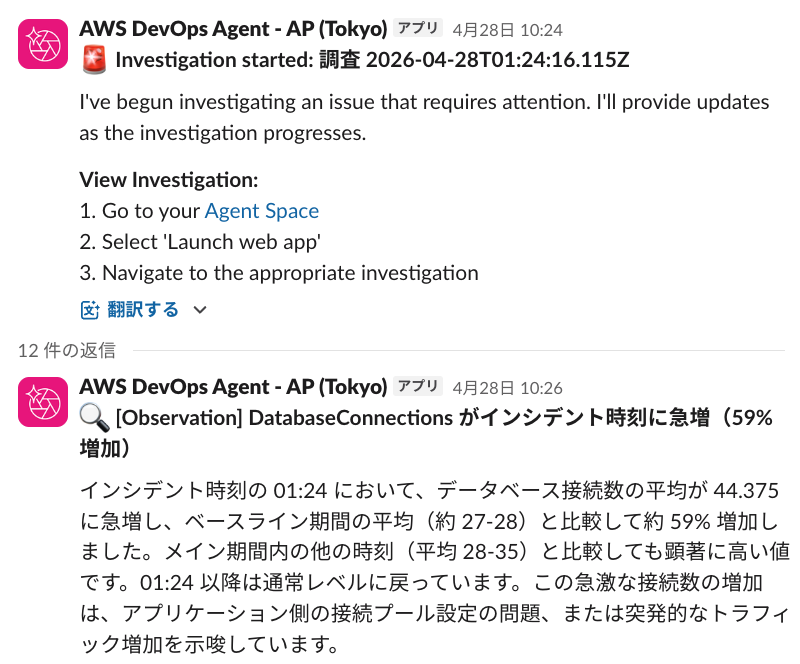
While the DevOps Agent has had a Slack communication function for some time, it was only a one-way function for notifying users of the results of investigations and so on.
I've previously introduced the DevOps Agent on this blog three times, each time a new feature was added since its initial release.
The feature allowed users to issue investigation instructions from the DevOps Agent's agent space, which would then automatically post the results to Slack.
What is the two-way communication feature that was added to Slack this time?
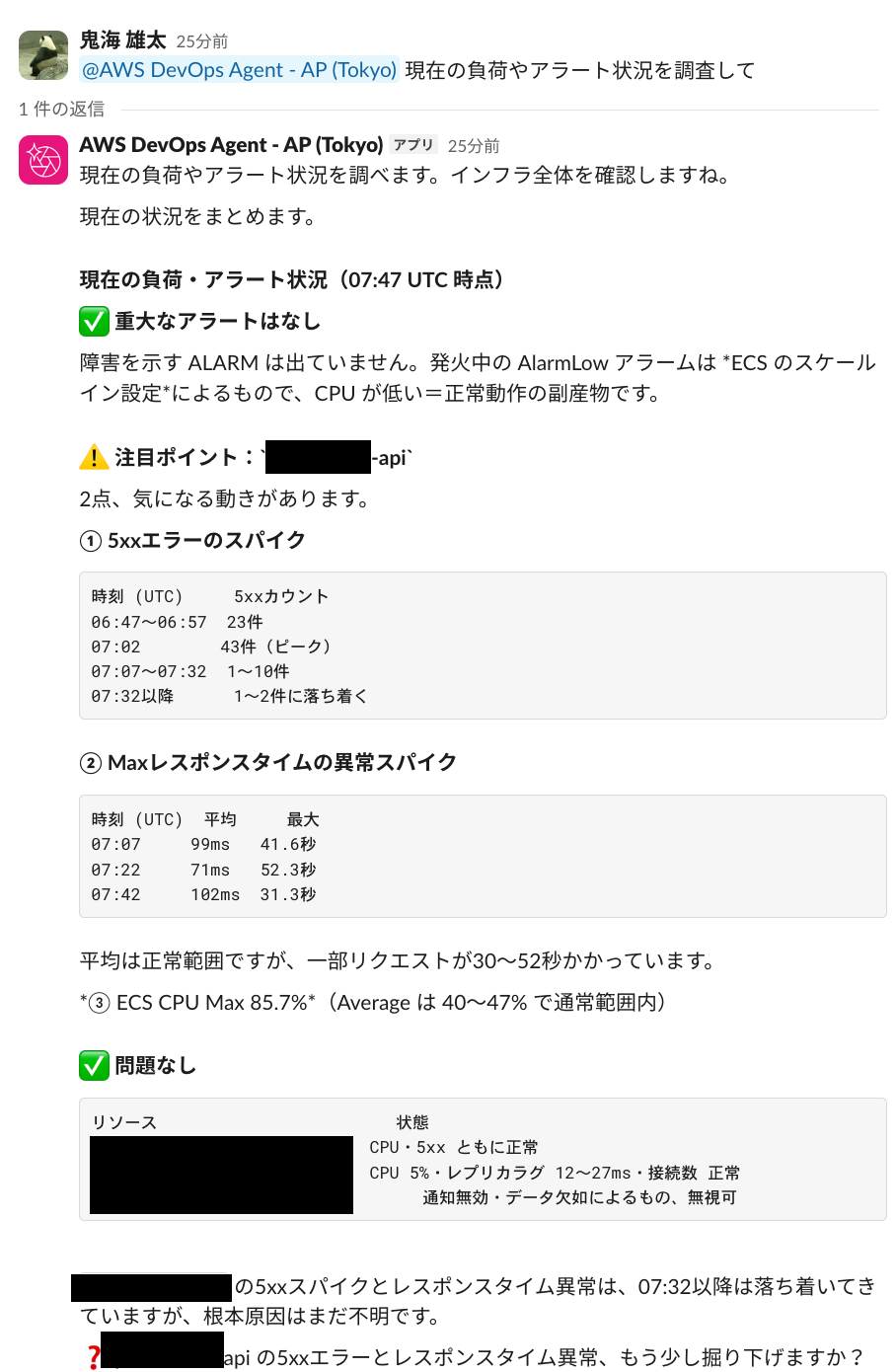
The two-way communication feature added to Slack on September 11, 2026, will allow you to issue investigation instructions from within Slack.
The ability to complete the investigation starting point and history entirely within Slack has made it much easier to use within the team.
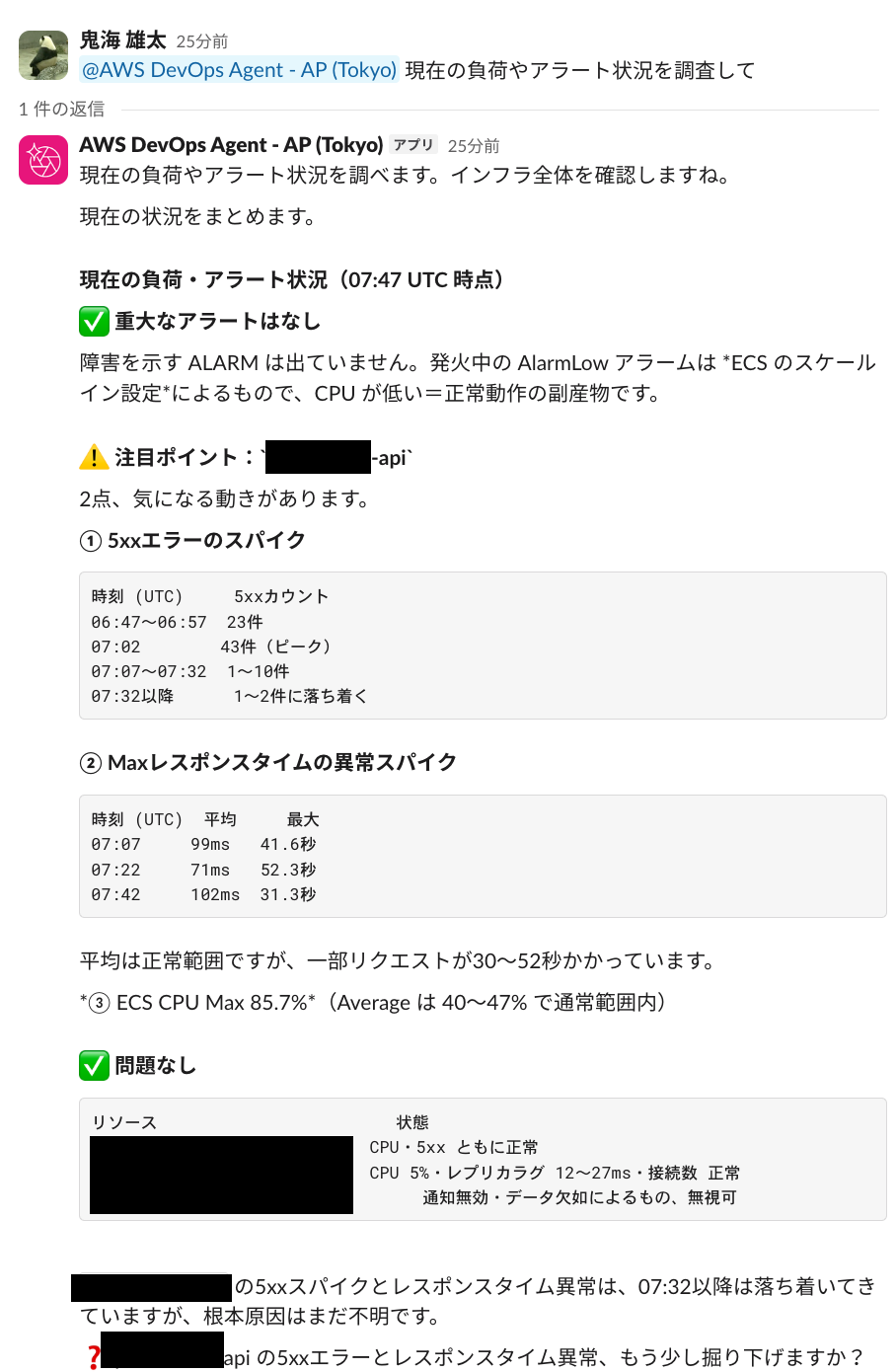
An example of issuing an investigation request via Slack.
Steps to actually set it up
To use Slack's two-way communication feature, the relevant Slack channel must be set to Private.
This is likely because the DevOps Agent's bidirectional communication function lacks user permission settings, meaning anyone can issue investigation commands by mentioning the app in a public channel, which could lead to problems.
The following is an example of adding a new Slack instance.
First, go to "Agent Space" → "Functions" and find "Communication".

Next, go to "Add" → "Slack" → "Register" and specify the Slack channel ID and IAM role.
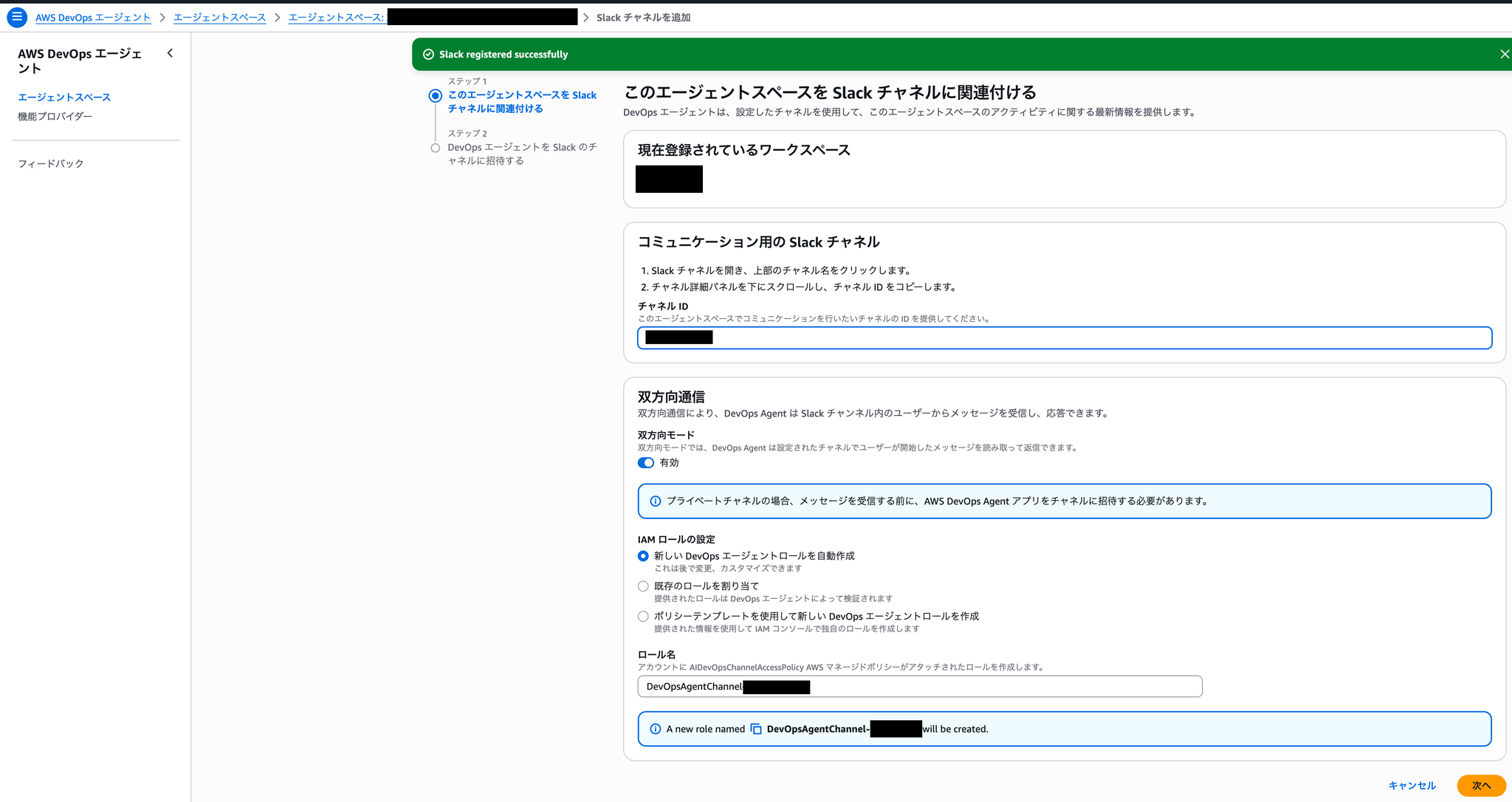
When you create a new default IAM role, a role with the following policy will be created:
DevOpsAgentChannel-hogehogehogePolicy name: AIDevOpsChannelAccessPolicy
Policy Content
After entering the information and clicking "Next," the DevOps Agent app will be installed in your Slack workspace.
Next, invite the DevOps Agent app to the relevant Private channel.
Finally, call the app in the relevant private channel and perform the initial setup.
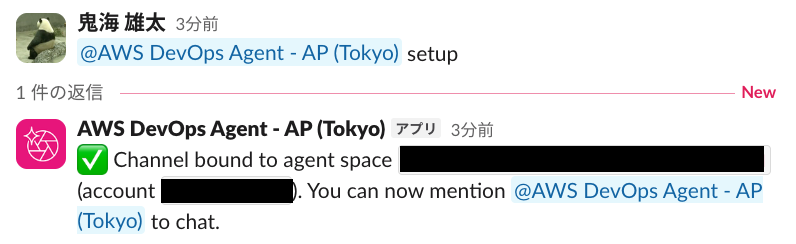
You can then directly mention the user, and they will return the result in a thread.
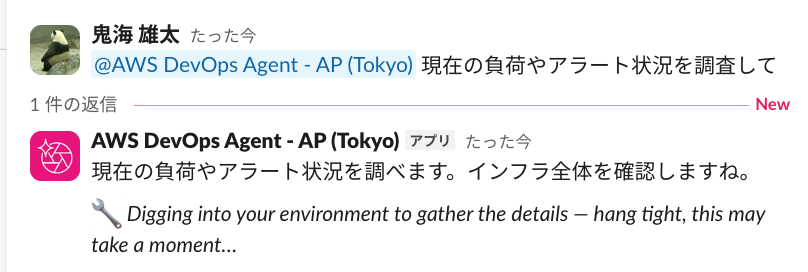
Messages will be added as progress is made.
In conclusion
The long-awaited Slack two-way functionality has been added to the DevOps Agent, making it even easier for teams to use! Thank you for this fantastic update!
If you are interested in SRG, please contact us here.