

How to use Claude Managed Agents to run a pull request creation and review loop for Linear/GitHub Issues
#SRGThe Service Reliability Group primarily provides comprehensive support for the infrastructure surrounding our media services, focusing on improving existing services, launching new ones, and contributing to open-source software (OSS).
This article explains how to use Claude Managed Agents to automate the process from reading Linear/GitHub Issues to creating pull requests and resolving the review loop.
This example demonstrates how developers can be freed from manual context switching, leading to a smoother issue-driven development flow.
I want to find a way to reduce the manual process involved in handling issues.Operation demo1. Enter the Issue URL or Number.2. Wait while drinking coffee.3. CompleteWhat is a maestro?System configuration and operation flowOverall ArchitectureLaunching from the Web UIOrchestrator operationPR creation and review loopThis workflow will solveImplemented with the assumption of multiple repositories.View the Web UI on the actual screen1. Register the repository.2. Enter the issue and start the Run.3. View execution history and real-time progress4. Prompts can be nurtured from the Web UI.5. MCP Client settings can be managed via the Web UI.6. You can consult with others before running via a chat for each repository.Implementation detailsIn conclusion
This article was generated by AI and then edited by the author.
I want to find a way to reduce the manual process involved in handling issues.
In software development, the cycle of reading the contents of each issue, implementing the changes, creating a pull request, and responding to review comments is an extremely time-consuming process.
In particular, when a code review tool returns multiple comments, requiring repeated revisions and re-reviews, developers frequently switch contexts, leading to decreased productivity.
Maestro was developed to solve this problem.
Operation demo
There is a repository used for E2E testing, so please take a look at the actual pull request.
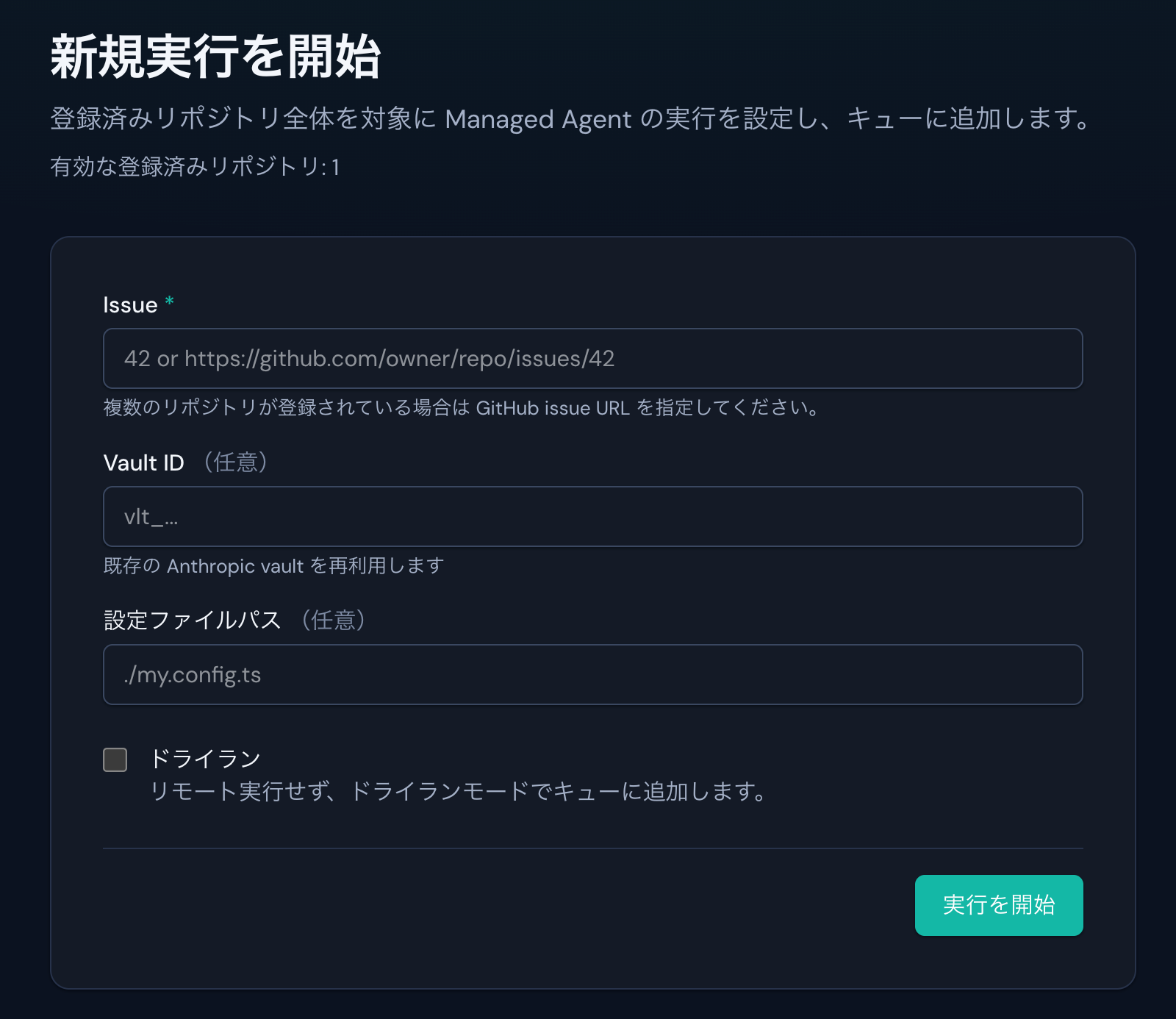
1. Enter the Issue URL or Number.
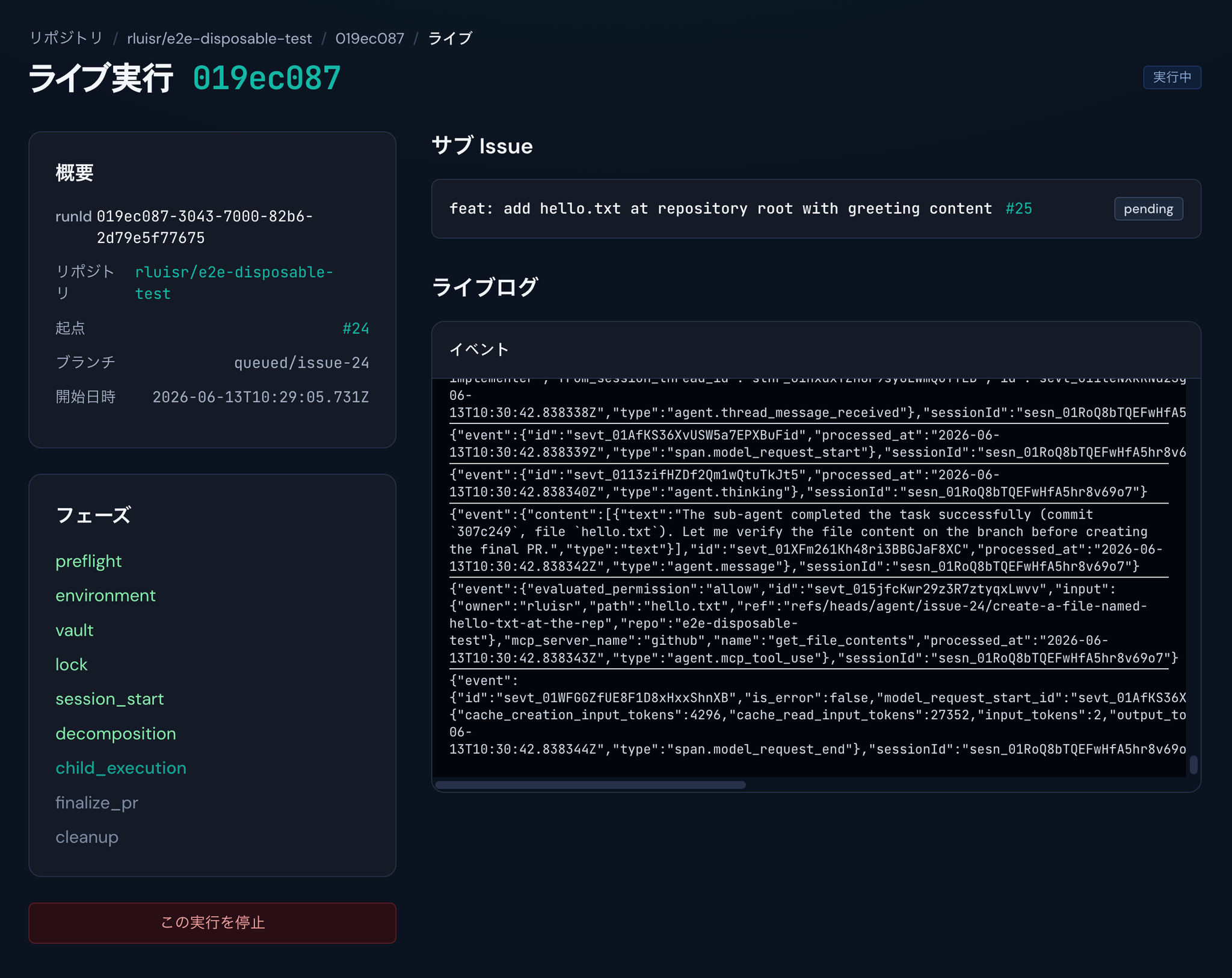
2. Wait while drinking coffee.
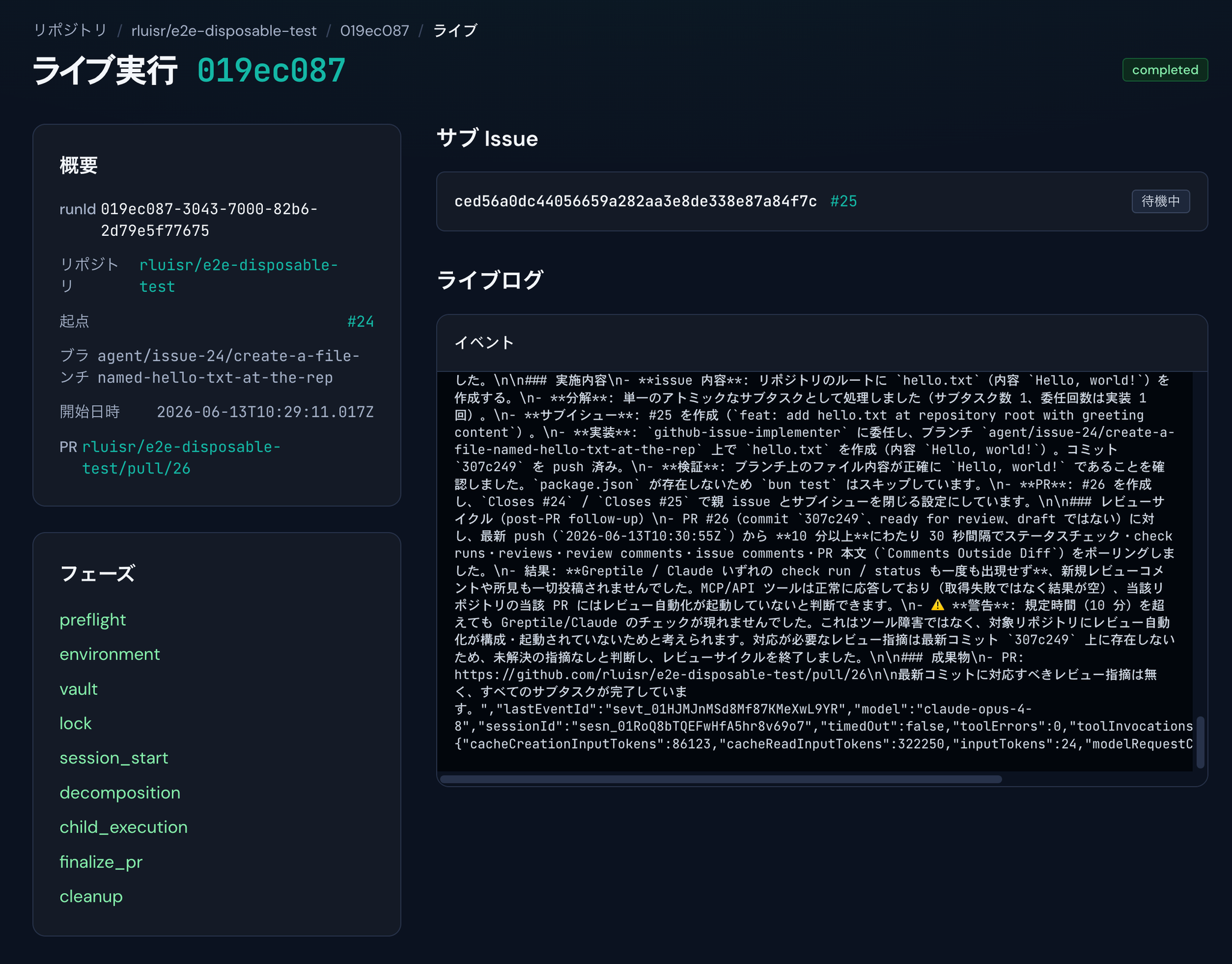
3. Complete
What is a maestro?
maestro is an agent workflow that automates everything from reading issues and creating pull requests to resolving review loops, simply by entering the URL of a Linear Issue or GitHub Issue in the web UI.
Anthropic's Claude Managed Agents is an infrastructure for running long-running tasks in a cloud-based sandbox.
The session maintains its state, and tool execution, file system data, and conversation history are persisted on the server side.
Developers don't need to build their own agent loops or sandboxes; they simply define the tasks and declare the success conditions, and the agents iterate towards the desired outcome.
System configuration and operation flow
Overall Architecture
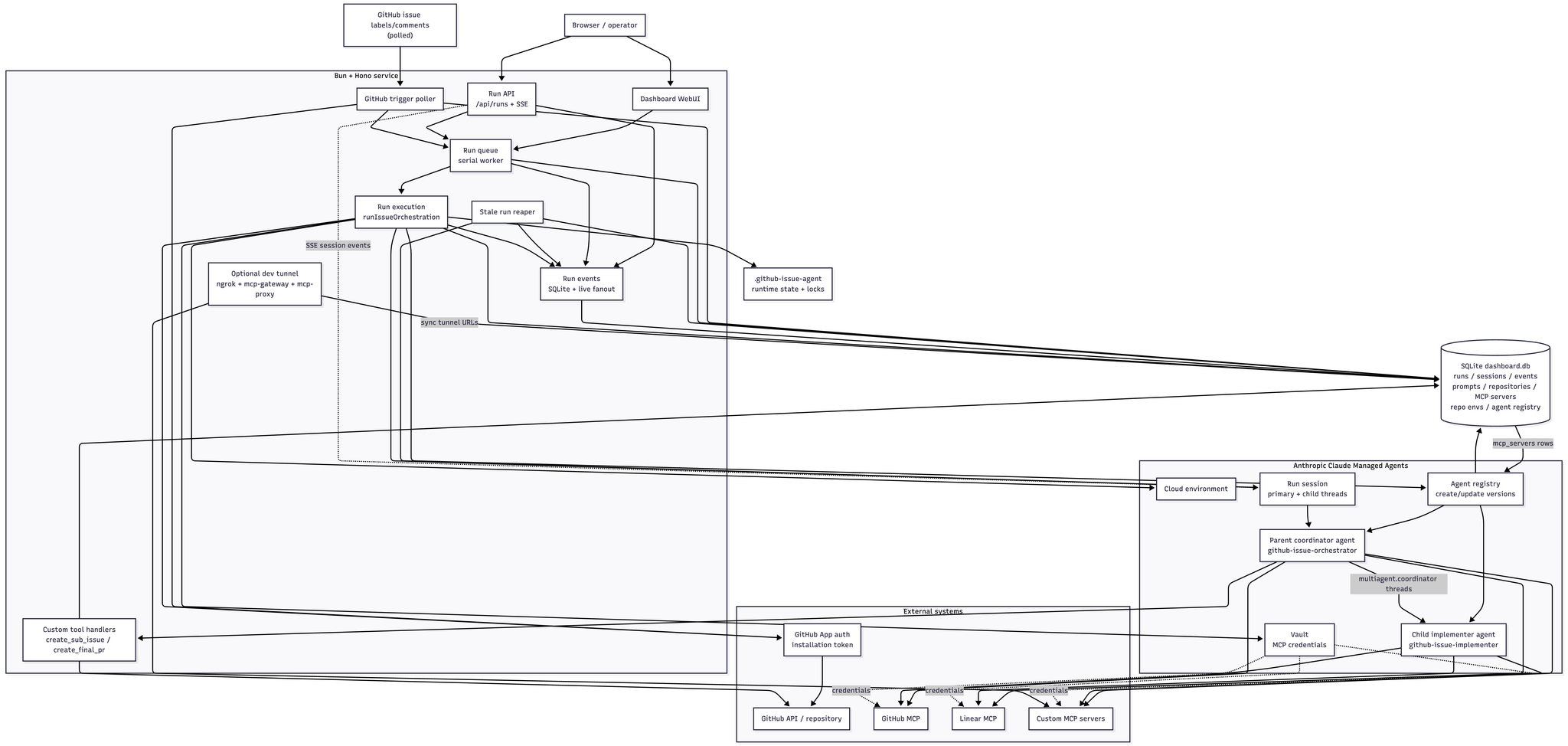
This system is designed with a two-tiered structure, dividing roles between a Parent coordinator and a Child implementer.
The Parent is responsible for reading, breaking down, and managing the progress of the Issue, while the Child focuses on implementing its assigned subtask.
By default, the parent model uses claude-fable-5 and the child model uses claude-sonnet-4-6.
This division of labor allows the command center to focus on task breakdown, verification, and pull request creation, while the implementation team can focus on code changes.
The key is to break down large issues into trackable units rather than throwing them all into a single prompt.
Furthermore, parent/child agents are version-controlled in the Anthropic-side agent registry, making it easy to reflect configuration changes to the system prompt and MCP server in subsequent executions.
Launching from the Web UI
Users paste the URL of a Linear Issue or GitHub Issue into the Web UI to perform the action.
The entered URL triggers Orchestrator to start a session.
Orchestrator operation
Orchestrator analyzes the content of an issue and automatically generates the necessary sub-issues for implementation.
By leveraging GitHub/Linear's sub-issue feature, you can break down large tasks into manageable units and track the progress of each task.
After that, an implementation session using Sonnet 4.6 will start, and code will be generated according to the contents of the child issue.
PR creation and review loop
Once the implementation is complete, Orchestrator will automatically create a pull request on GitHub.
Once a pull request is created, an AI code review using tools like Greptile is performed.
Orchestrator automatically repeats the revision and re-review cycle as long as there are AI reviews remaining.
The loop ends when there are no more review comments, and the pull request becomes ready to be merged.
However, instead of simply accepting the feedback received, we've embedded a prompt to first verify the feedback using a sub-agent and then correct it if the feedback is deemed valid.
This workflow will solve
In traditional development workflows, human intervention was required multiple times between the time an issue was identified and the pull request passed the review process.
This system automates all of the following tasks:
- Issue analysis and decomposition into sub-issues
- Context collection other than code
- Rules such as CLAUDE.md, AGENTS.md, and .claude/rules
- Document and other research by MCP
- Code implementation
- PR creation
- Responding to review comments and re-promoting the product/service.
- Loop control until review and testing are passed.
In Claude Managed Agents, Agents (definitions of models, system prompts, tools, MCP servers, etc.) and Sessions (execution units) are separated, allowing you to track execution history, tool usage, and the status of multi-agent threads as events.
The web UI receives this event via SSE and displays the progress in real time.
On the other hand, since Claude Managed Agents is a beta feature, it is not designed for unlimited automation and has limitations such as roster size and the number of concurrent threads.
The configuration described in this article is designed to leave Issue, PR, and Review history on GitHub/Linear, making it easier for humans to make final decisions.
Implemented with the assumption of multiple repositories.
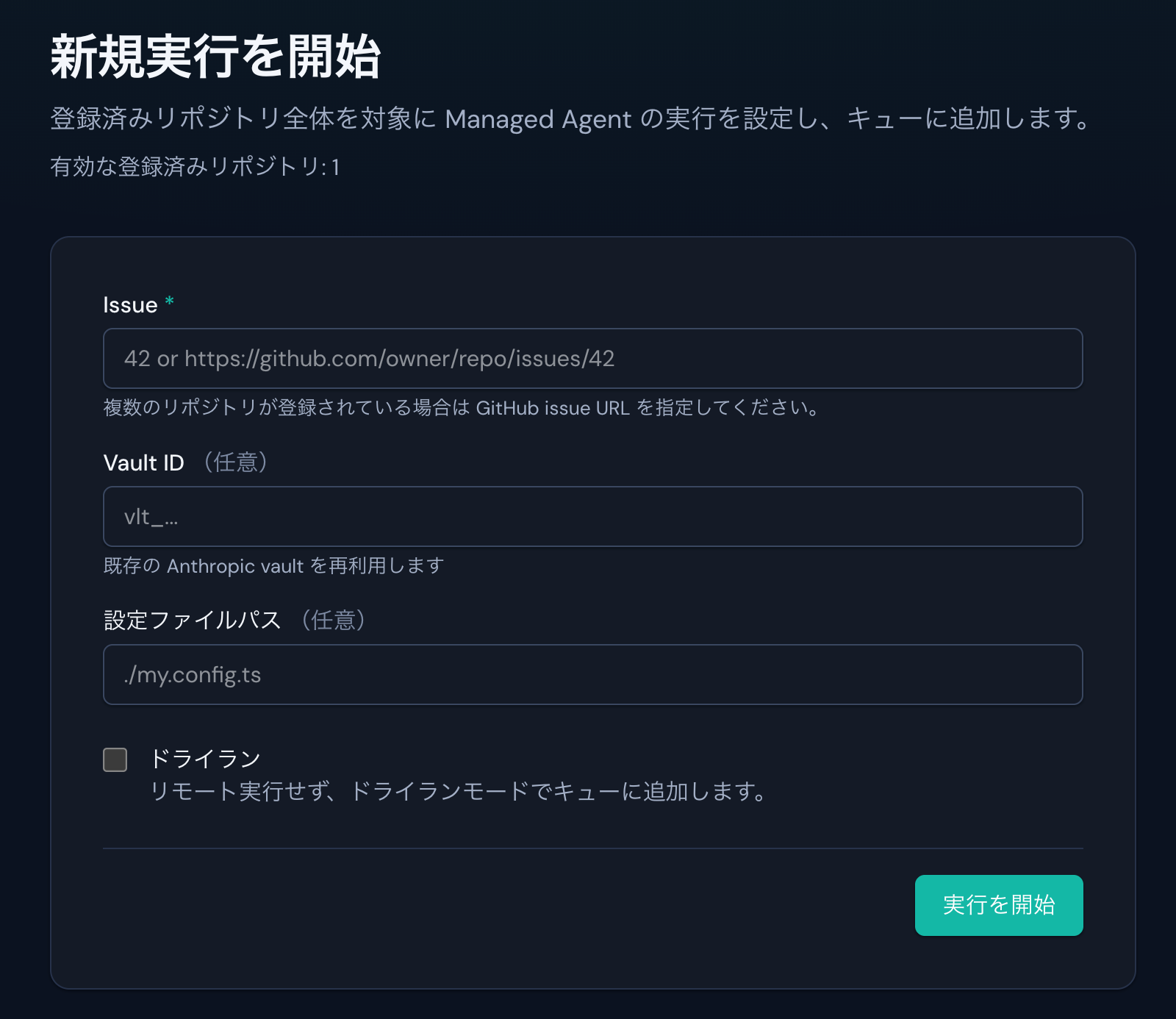
You may have noticed that the execution screen doesn't specify which repository you're working with.
For example, depending on the nature of the issue, it may be necessary to make changes not only to repository A, but also to other repositories that manage Terraform, Helm, etc.
Therefore, we consider which repository should be used and in what order to implement the functionality, allowing for implementation across multiple repositories.
View the Web UI on the actual screen
While it may seem abstract when reading the article alone, maestro is not just a CLI-only experimental tool; it also has an HTTP server-based WebUI where you can submit issues and track progress.
It's also possible to trigger events via API.
https://github.com/ca-srg/claude-managed-agents/blob/main/README_ja.md#http-api
1. Register the repository.
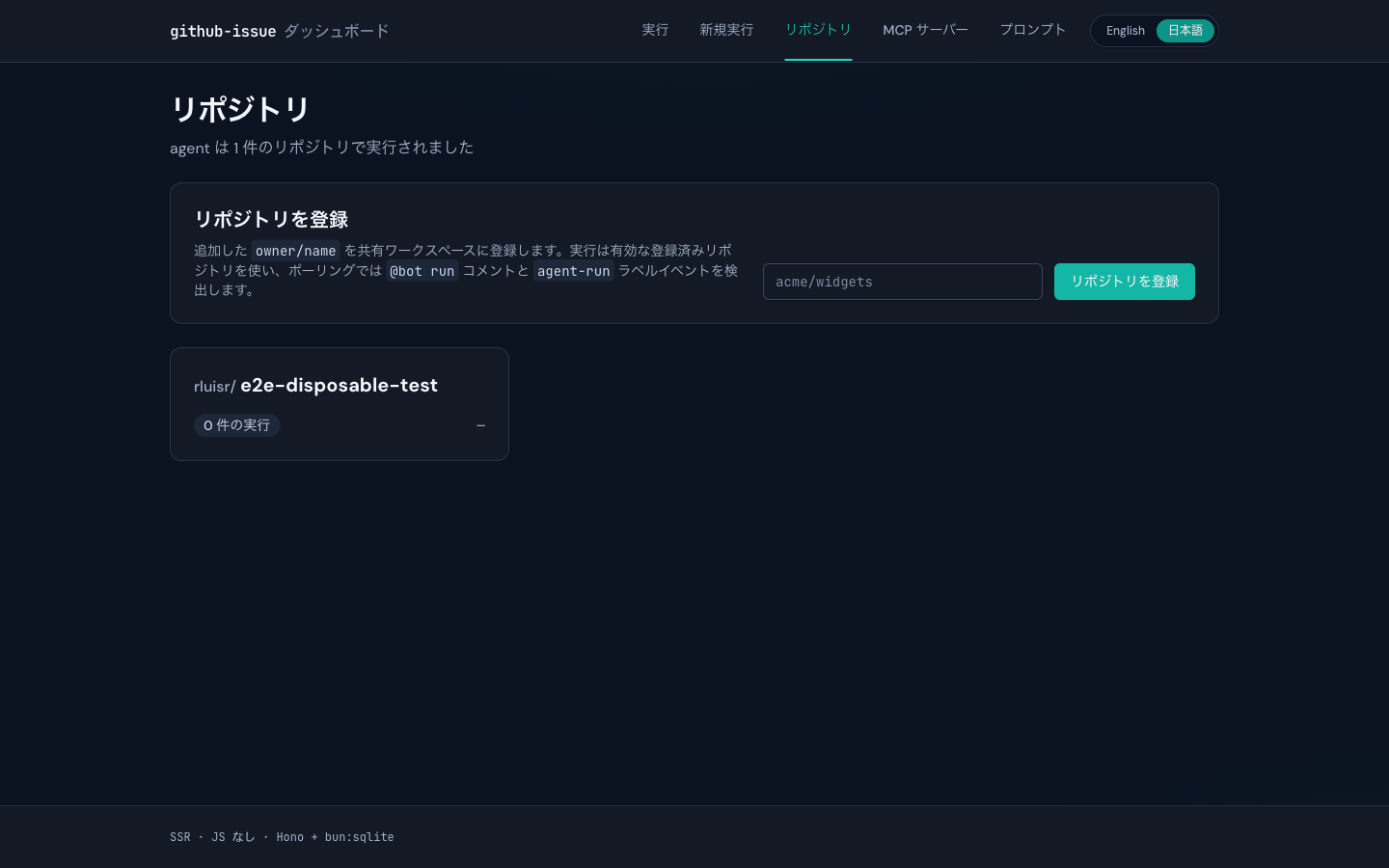
owner/nameThis is a necessary step to implement the solution in the multiple repositories mentioned earlier.
Claude Managed Agents determine which repository to work with based on the registered repositories and issue content.
Registered repositories are stored in SQLite, and the GitHub trigger poller also refers to this list.
This makes it easier to add or stop monitored repositories during operation, without relying solely on environment variables.
2. Enter the issue and start the Run.
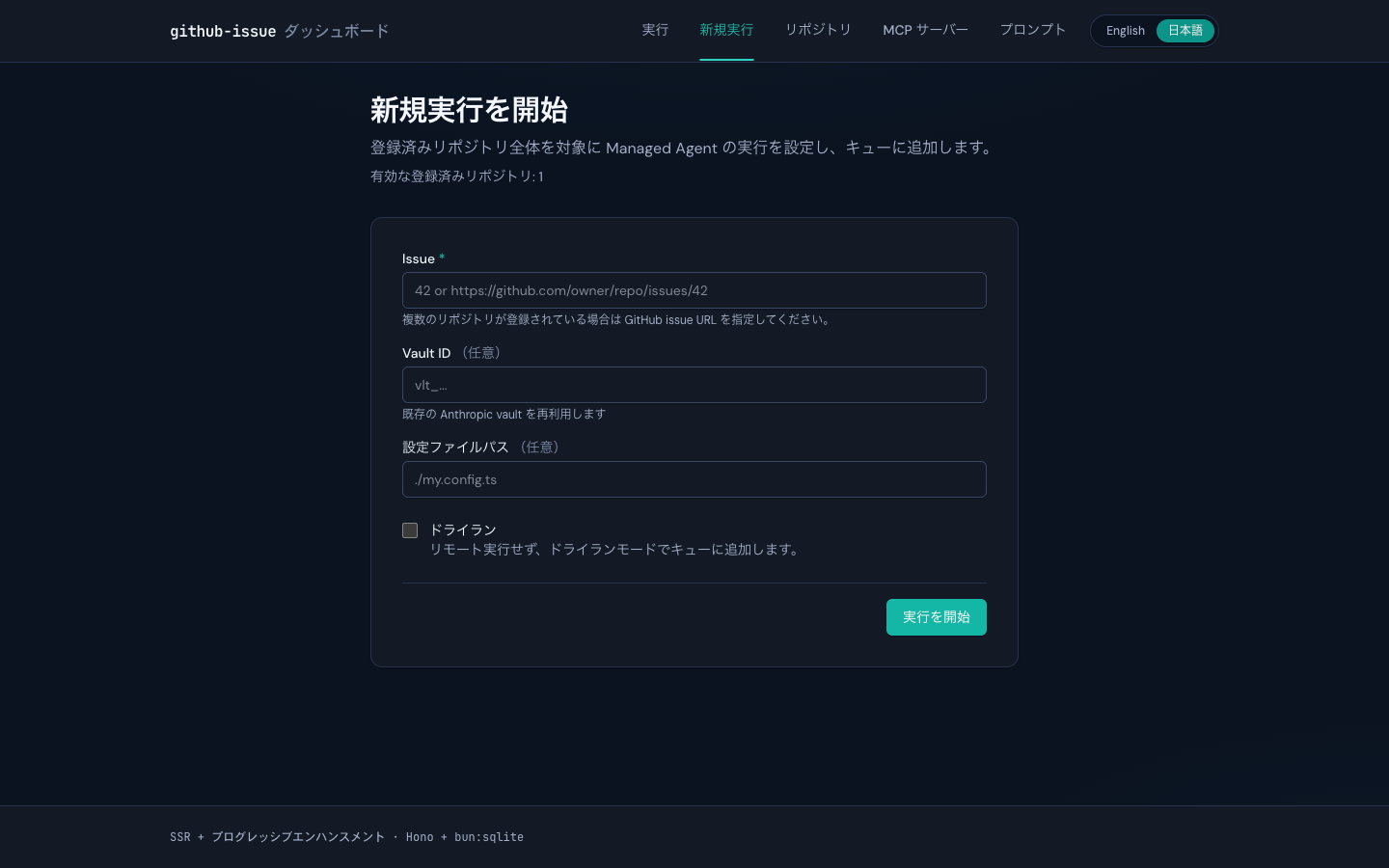
On the new execution screen, you create a Run by specifying either a GitHub Issue or a Linear Issue.
For GitHub Issues, you can start with the issue number and repo; for Linear, you can start with the URL/identifier.
Using a dry run allows you to check the decomposition plan first, without immediately proceeding to create a pull request.
3. View execution history and real-time progress
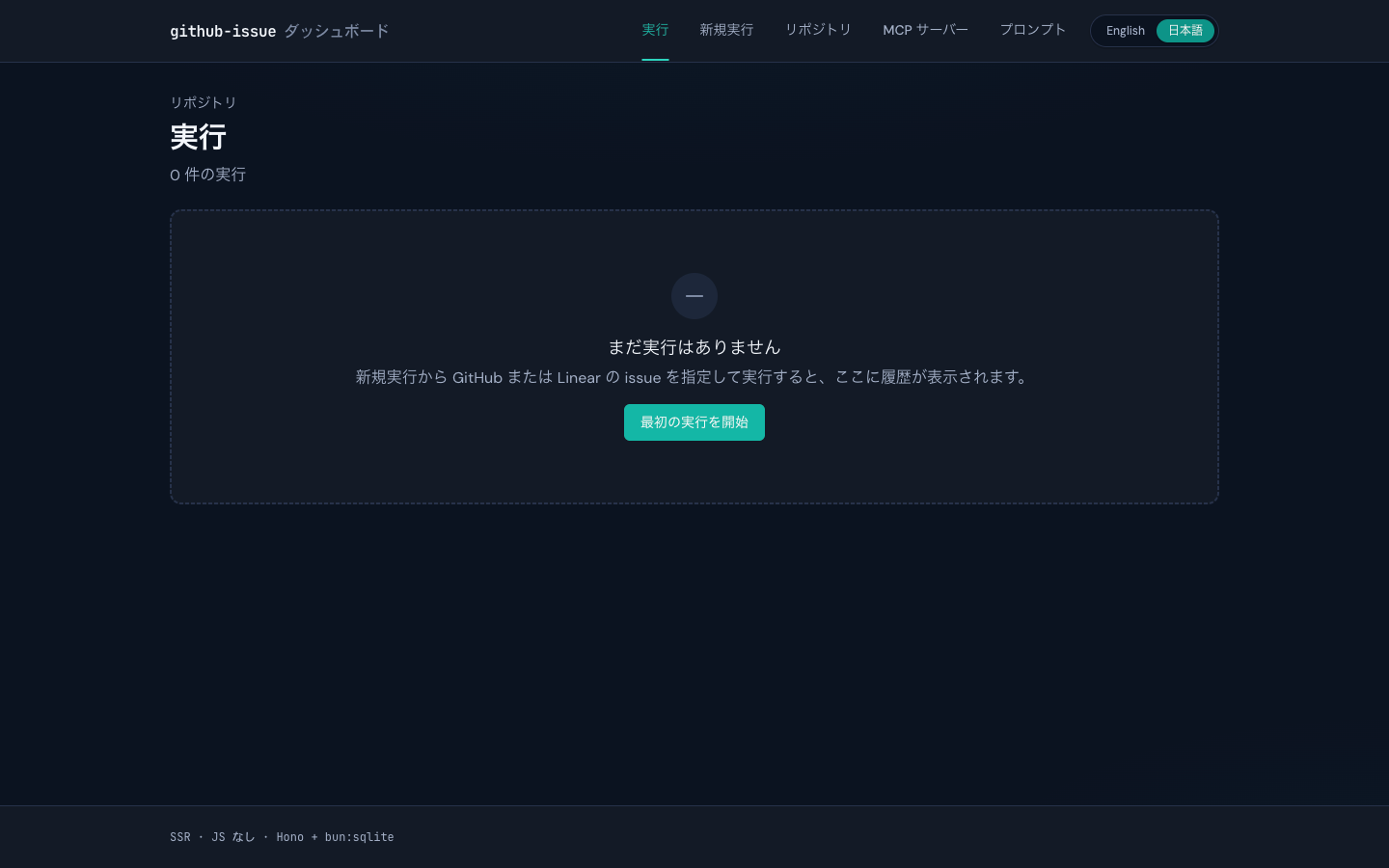
When a run begins, the session ID, phase, sub-issue, logs, and completion/failure events are recorded.
/api/runs/:runId/eventsThe Cloud Console provides more detailed information, so it's often better. 🐶
4. Prompts can be nurtured from the Web UI.
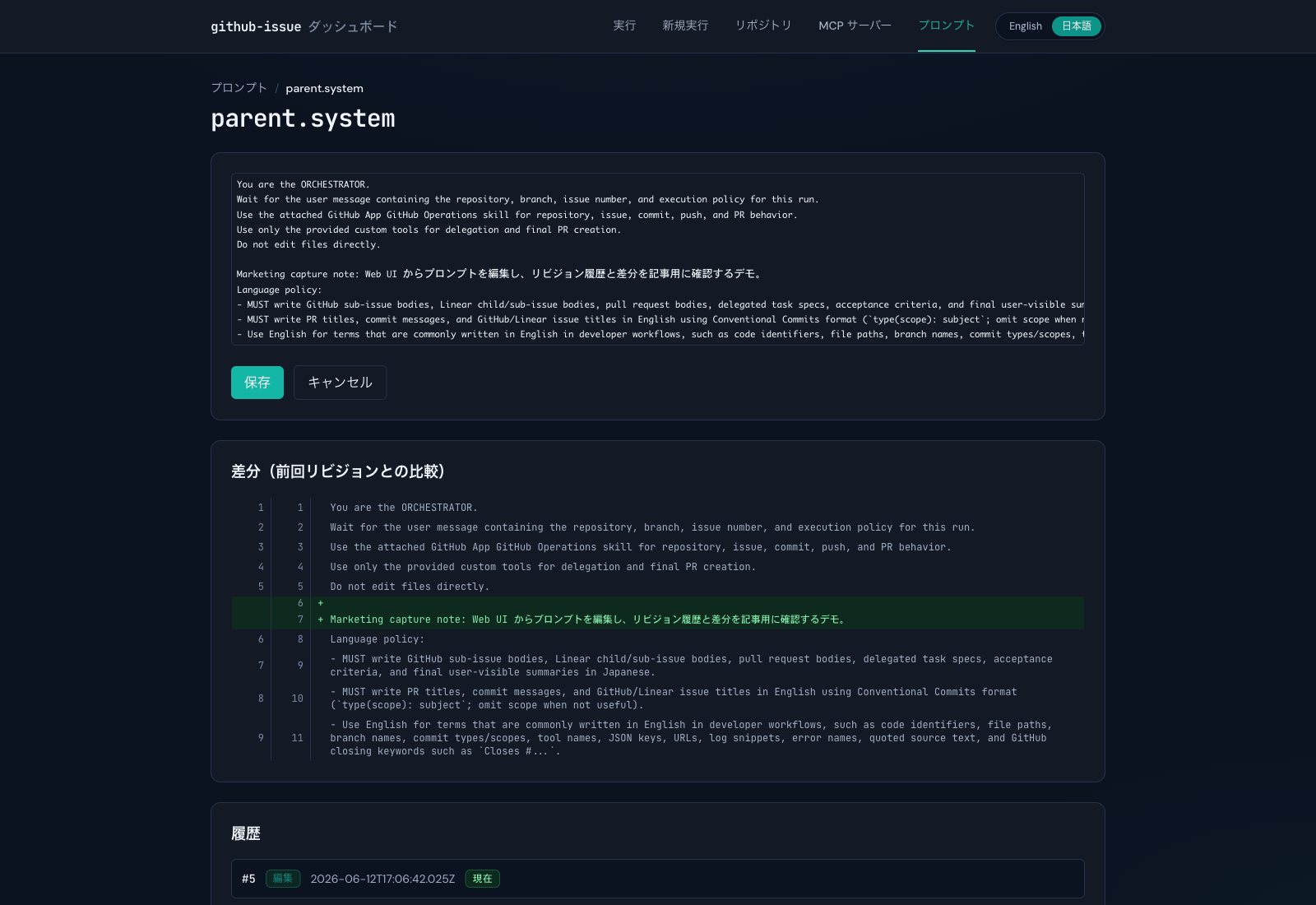
child.systemMaestro creates a new version with each agent update, and sessions are fixed to the version at the time of creation. This implementation ensures that ongoing runs are not broken and makes improvements for subsequent runs easier.
5. MCP Client settings can be managed via the Web UI.
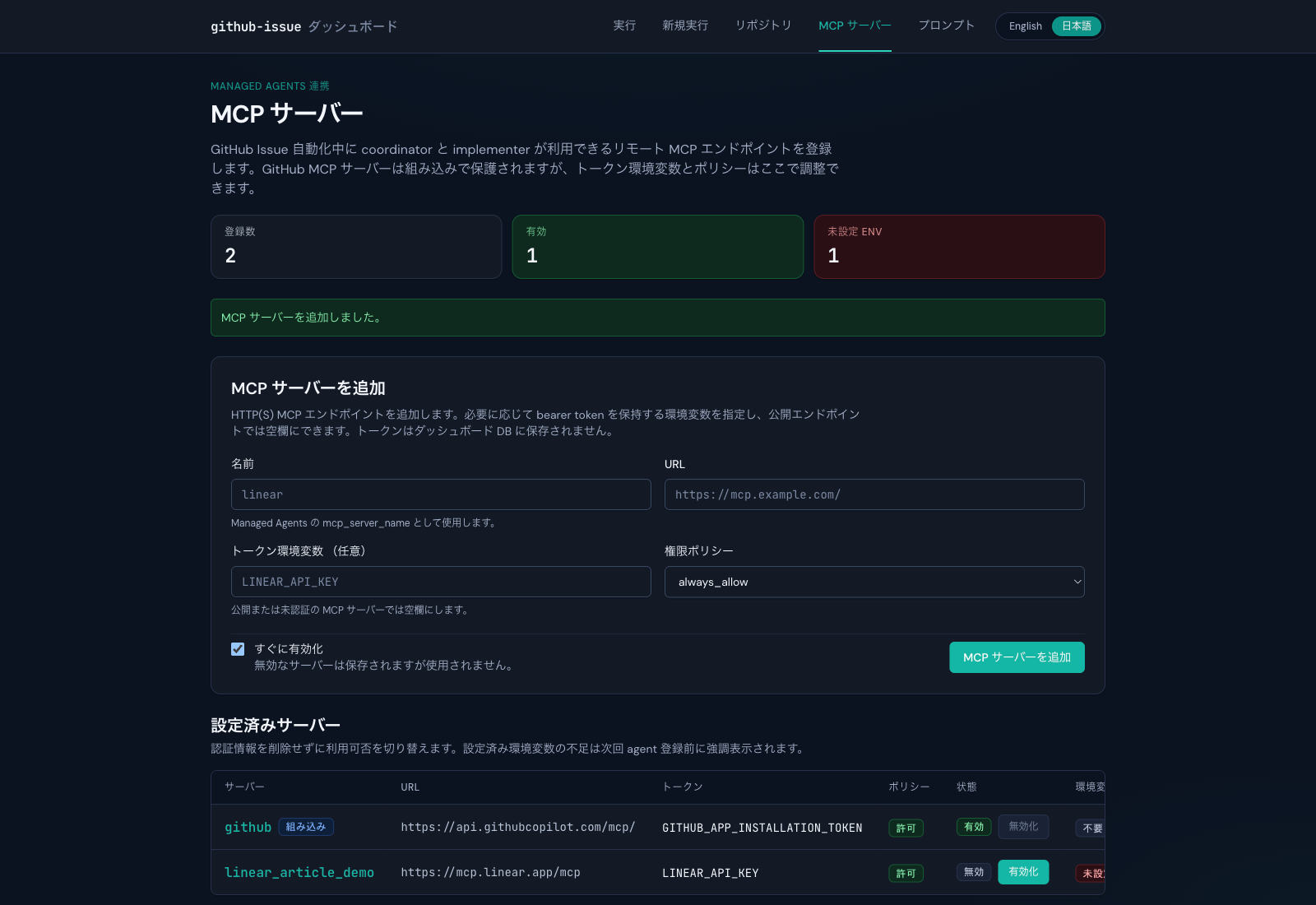
On the MCP server screen, you can register the MCP server name, URL, token environment variable, permission policy, and enabled/disabled status via the Web UI.
The credentials specify the environment variable name given to the container running maestro.
Because the design only uses environment variable names and not actual token values, sensitive information is not directly stored in the Web UI's database.
The official Claude Managed Agents documentation also states that the agent definition should include the server name/URL, and authentication information should be handled by the Vault.
6. You can consult with others before running via a chat for each repository.
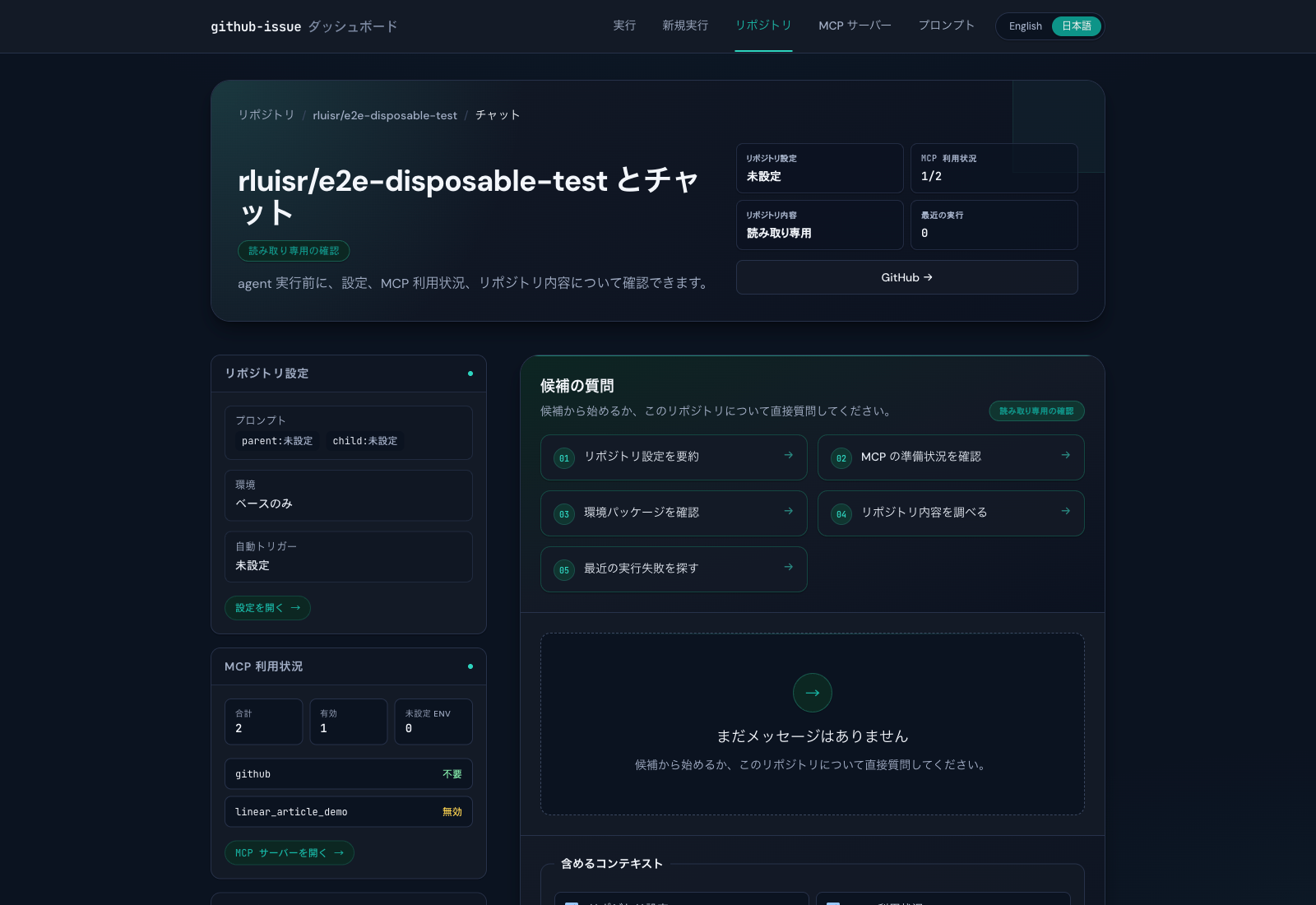
Repository chatOn the screen, you can choose whether to include repository settings, MCP usage, repository contents, and recent runs in the context.
This guide allows you to check things like "Is the repository configured correctly?", "Is MCP available?", and "Have there been any recent failures?" before immediately submitting an issue to the agent.
Implementation details
- A small configuration using Bun + Hono + SQLiteThe WebUI, Run API, event saving, and prompt management are all integrated into a single HTTP server.Fly.ioBut it's a configuration that's easy to operate.
- repo-scoped tokens are based on a GitHub App.Because the installation token is resolved for each target repository, it is easier to restrict permissions even when managing multiple repositories.
- Parent/Child multi-agent coordinatorParent is responsible for decomposition and the final pull request, while Child is responsible for implementation. The clear division of roles makes it easy to explain prompt design and separation of responsibilities in articles.
create_final_pr
child.system
- ObservabilitySession events, thread events, and tool use/results are saved and streamed to the screen via SSE. The fact that the agent doesn't become too much of a black box is important for those considering implementation.
In conclusion
Claude Managed Agents are currently available in public beta on the Claude Platform and require an Anthropic API key to use.
This tool is a must-try for anyone looking to automate issue-driven development workflows or those struggling to eliminate review loops.
The barrier to entry for using it is low, so please give it a try.
Issues and PRs are also welcome!
SRG is looking for new team members.
If you are interested, please contact us here.