
No Datadog MCP available? No problem! Agent-skills × PUP enables AI-powered incident investigation.
This is Yuta Kikai (@fat47) from the Service Reliability Group (SRG) of the Media Division.
#SRGThe Service Reliability Group primarily provides comprehensive support for the infrastructure surrounding our media services, focusing on improving existing services, launching new ones, and contributing to open-source software (OSS).
This article summarizes our experience running Datadog agent-skills and pup using GitHub Actions to automate troubleshooting.
I hope this is of some help.
Datadog MCP Server private preview continues.Datadog Pup CLIInstalling Pup (for Mac)Trying browser authentication with PUPExample of operation in PupDatadog Skills for AI AgentsHow to install agent-skillsTrying out agent-skills from Claude CodeI'm going to try to enable initial investigation using Datadog agent-skills × pup from GitHub Actions.Overall Structure DiagramFirst, let me show you an example of how to generate a report using GitHub Actions.Actual procedureIn conclusion
Datadog MCP Server private preview continues.
Datadog MCP Server was announced as a private preview at DASH in June 2025.
I applied for a private preview of MCP Server immediately after the announcement, but I wasn't invited, and before I knew it, the new year had arrived.
Meanwhile,Datadog's official CLI tool, "Pup CLI," was released in preview in February.It was done.
Datadog Pup CLI
This is the official command-line tool provided by Datadog, a comprehensive CLI that supports AI agents.
While the traditional Datadog API required an API key, Pup CLI supports OAuth2 authentication, allowing you to use browser-based authentication.
FORCE_AGENT_MODE=1Installing Pup (for Mac)
Trying browser authentication with PUP
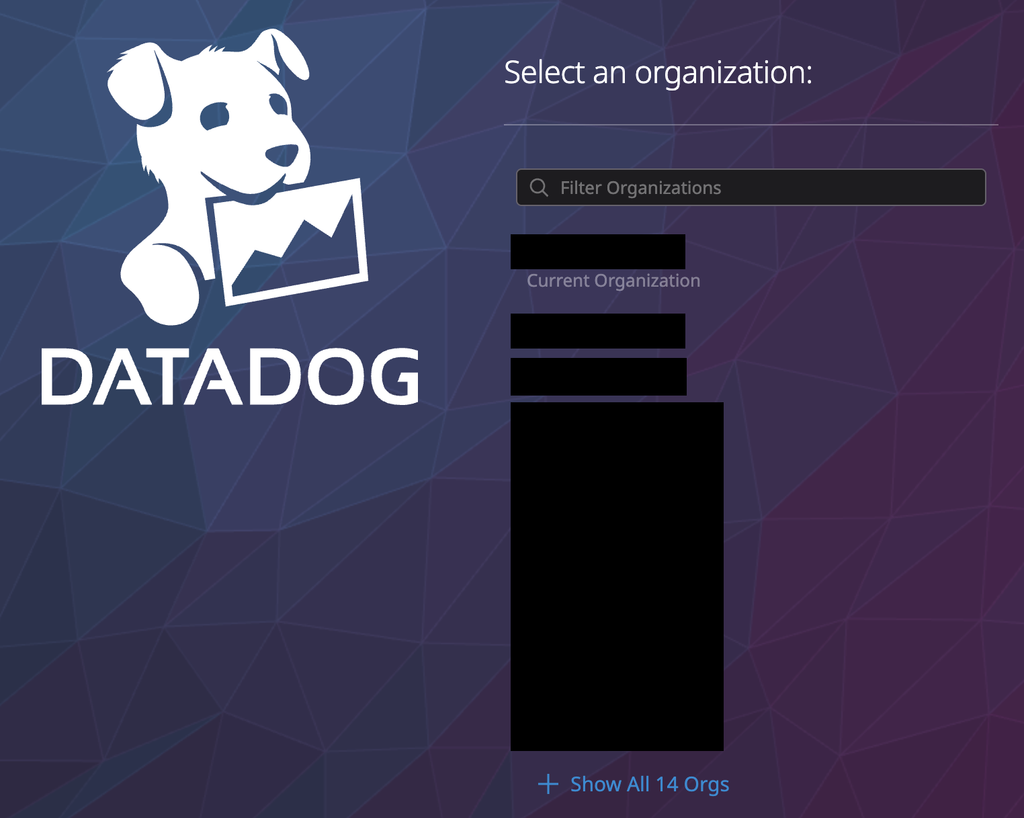
Select the organization you want to authenticate.
A list of permissions to be granted will be displayed; please approve them.
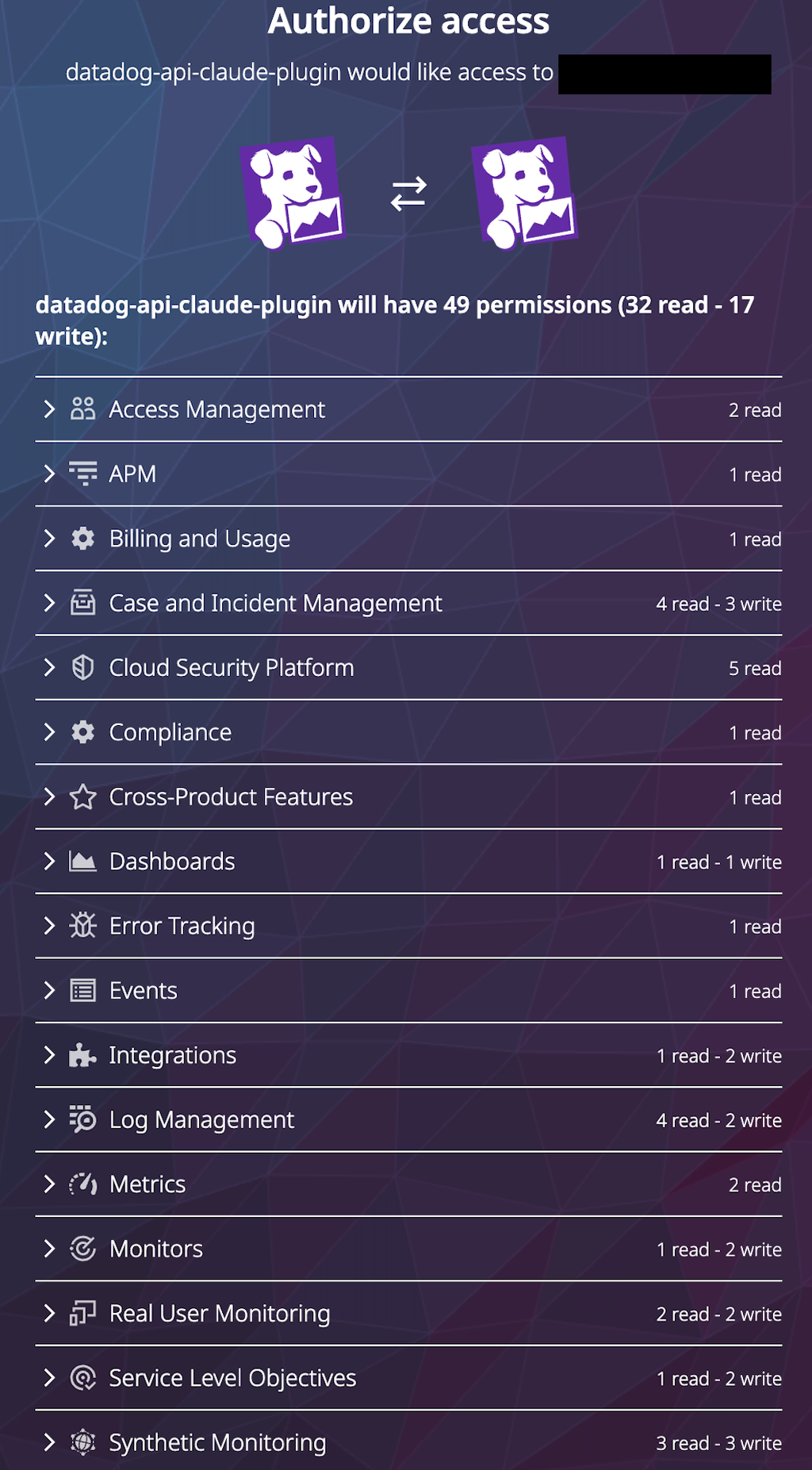
The token authenticated here is valid for one hour.
You can also refresh your token once it expires.

Example of operation in Pup
The following operations are possible. (Partially quoted from the official source)
Monitors
Metrics
Dashboards
Datadog Skills for AI Agents
About a week after the initial release of Pup, Datadog agent-skills was made public.
This is a "skills guide for teaching AI agents how to conduct research using Datadog."
What and how to investigate using PupThis is defined.
Specifically, the following skills are defined:
| Skill | Description |
|---|---|
| dd-pup | Authentication and command definitions in Pup |
| dd-monitors | Monitor management and mute |
| dd-logs | Log Search |
| dd-apm | APM tracing, etc. |
| dd-docs | Searching the official Datadog documentation |
| dd-llmo | LLM Observability related (dependent on Datadog MCP Server toolset) |
How to install agent-skills
Trying out agent-skills from Claude Code
Let's try giving the following instructions in Cloud Code.
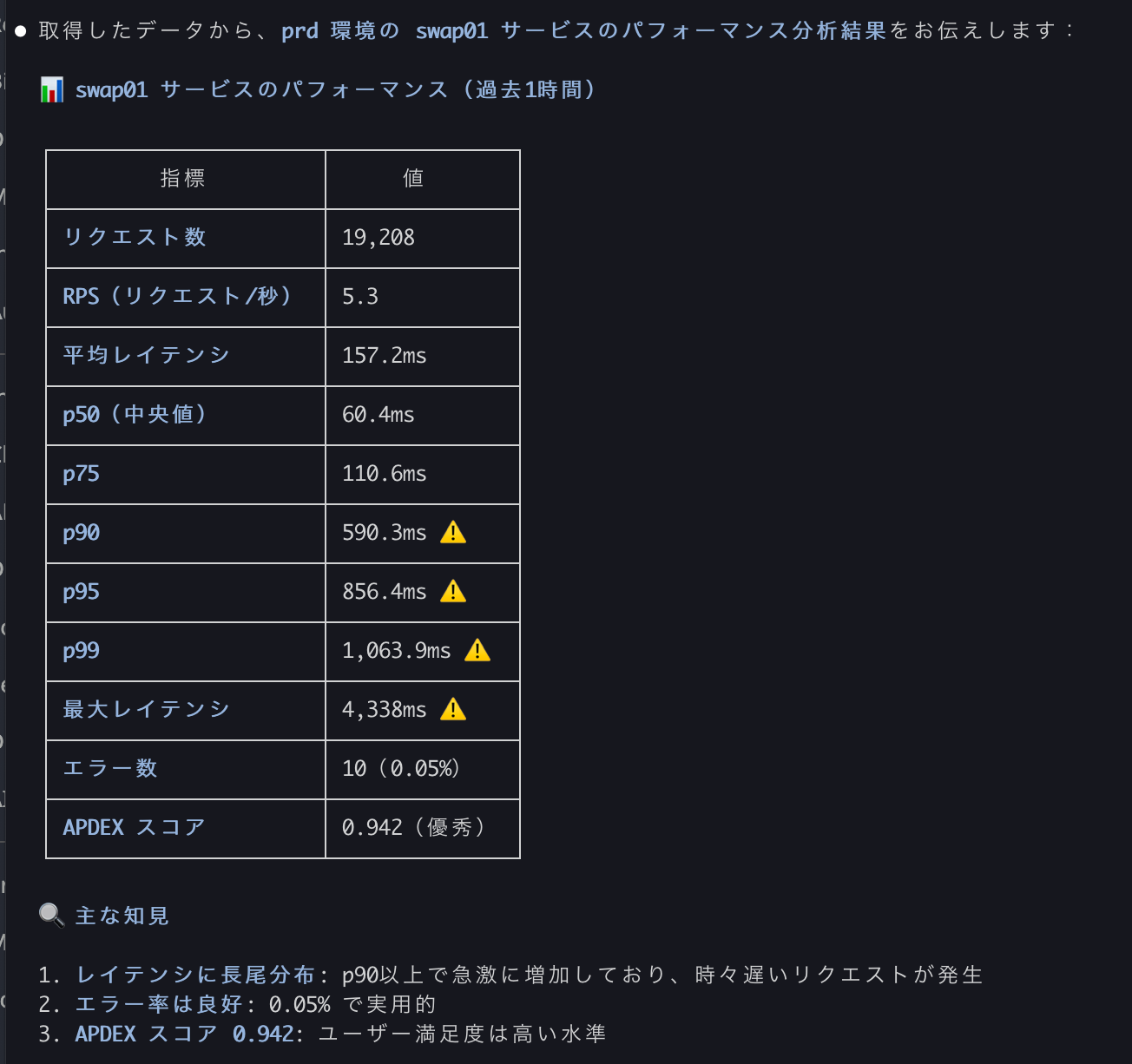
APMでprd環境の◯◯サービスのパフォーマンスをチェック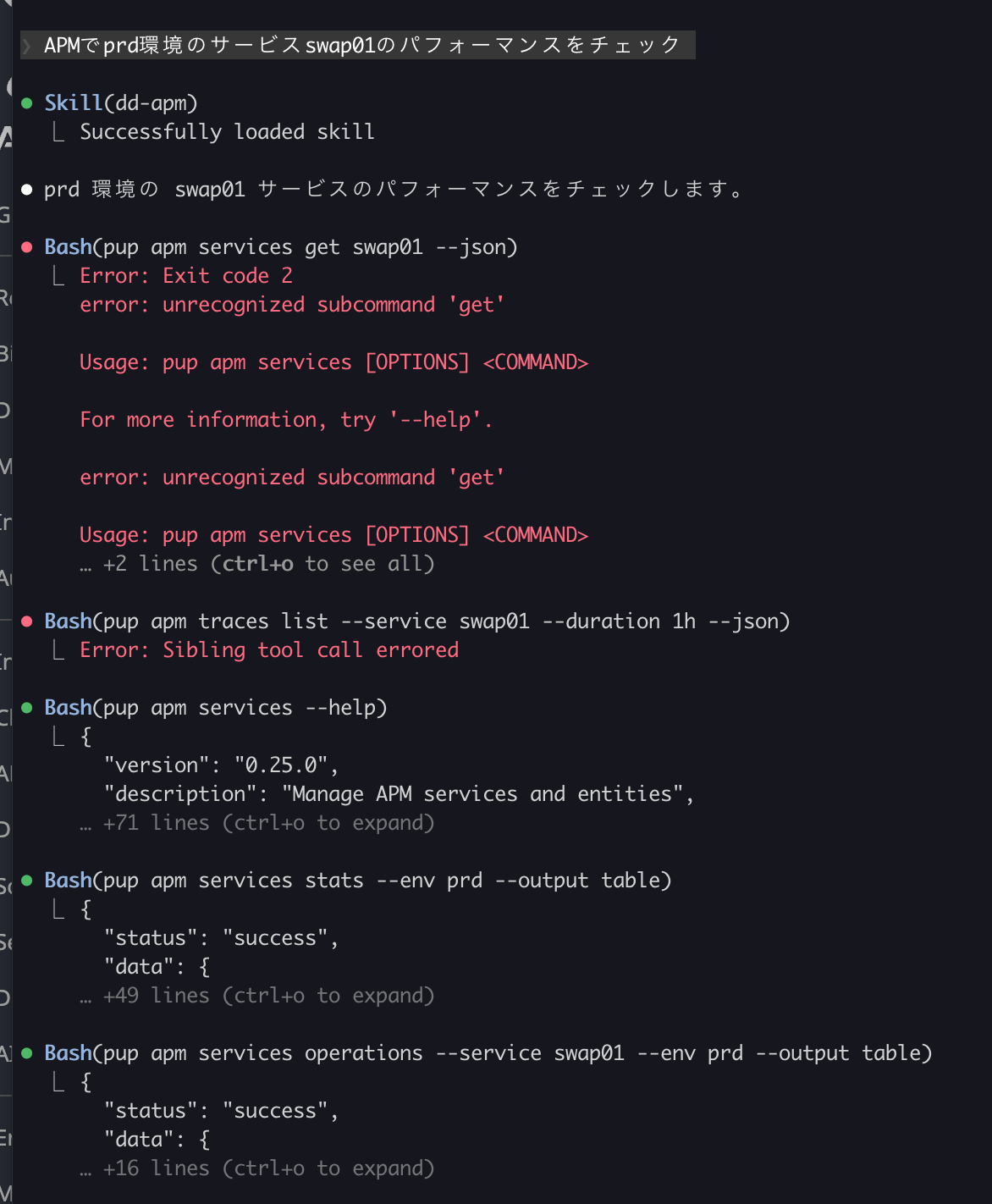
After loading the dd-apm skill, you can see that the pup command is used to retrieve the values from Datadog.
The final result displayed was as follows:
I'm going to try to enable initial investigation using Datadog agent-skills × pup from GitHub Actions.
I was able to confirm that I could investigate Datadog data using Claude Code from my own device.
Next, we tested whether we could perform an initial investigation using GitHub Actions.
Overall Structure Diagram
The configuration is as follows: Datadog agent-skills and Pup are installed from GitHub Actions, and then executed using Claude Code Action with a Claude Sonnet 4.6 model on AWS Bedrock.
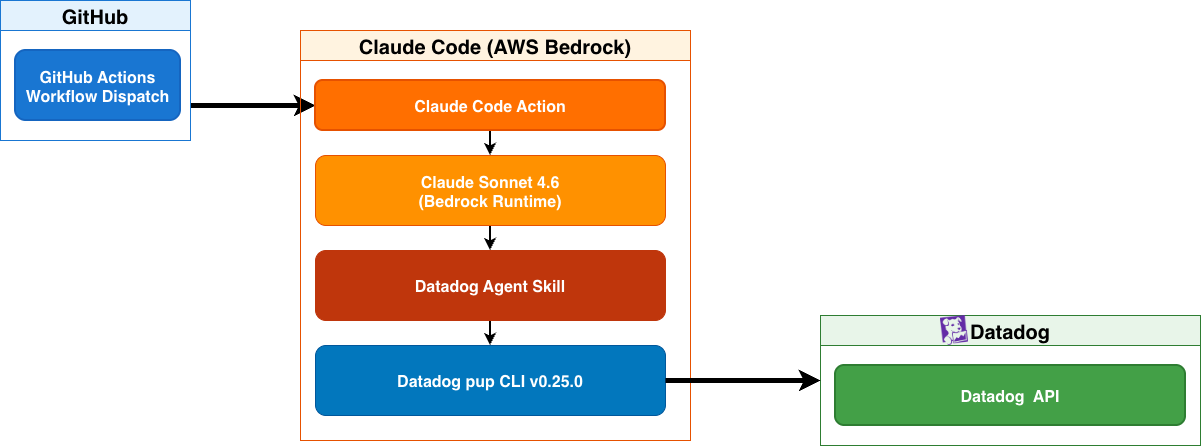
First, let me show you an example of how to generate a report using GitHub Actions.
I manually executed GitHub Actions with this configuration to generate the report results.
First, an overall summary will be displayed.
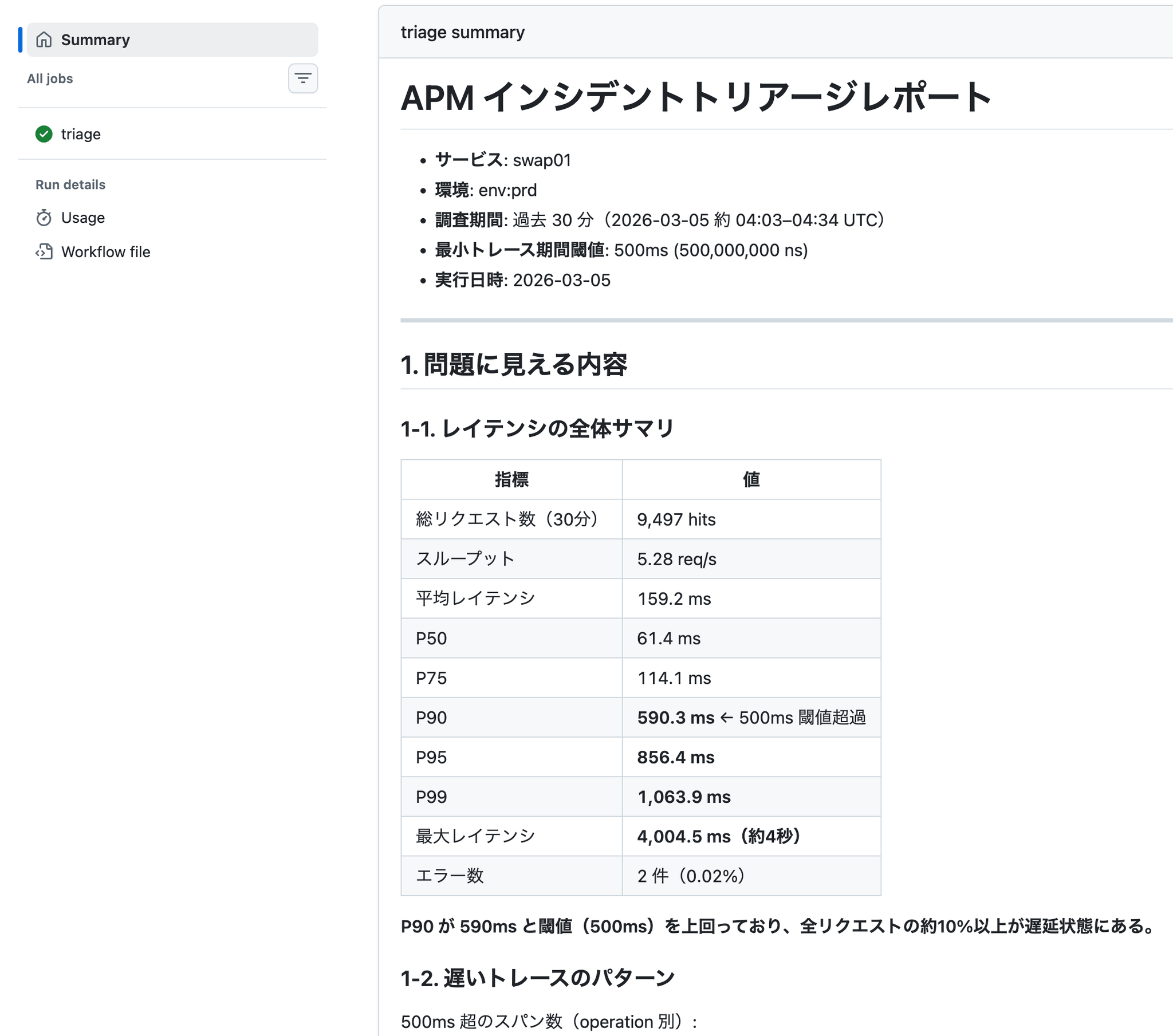
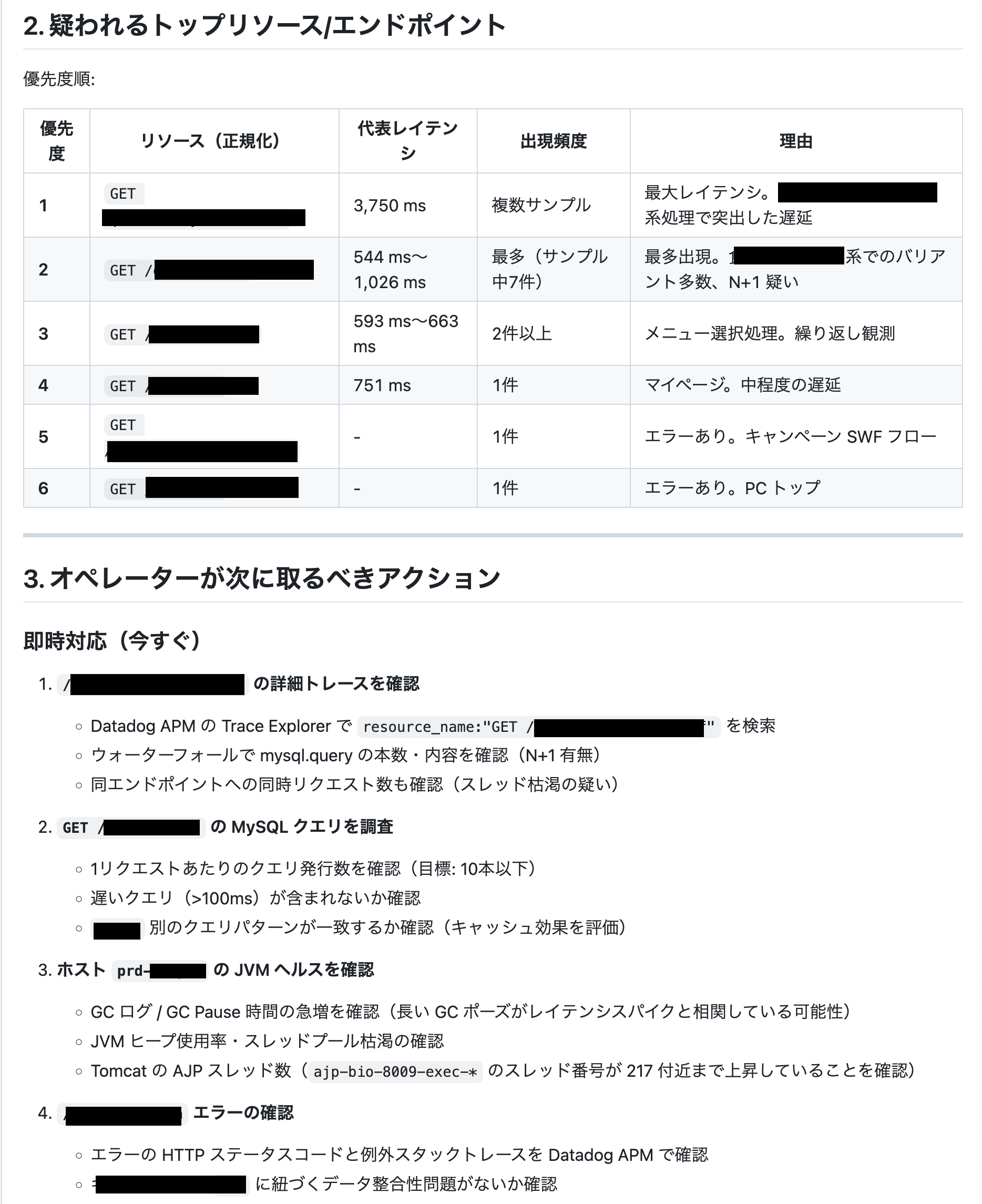
It summarizes slow endpoints and suggests specific actions for items that should be investigated immediately.
Actual procedure
Now, let's go over the steps to actually get it up and running.
With Pup's OAuth2, the token expires after only one hour, so this time we're using Pup with a Datadog API Key and APP_KEY set up.
Set the following environment variables in GitHub Secrets.
| Environment variable name | Value to set |
|---|---|
| Datadog API key | |
| Datadog APP key | |
| Datadog Region (Japan isIn the case of the US ) | |
| ARN of the OIDC IAM role created in an AWS environment using Bedrock |
Furthermore, since it's possible to restrict the operations that can be performed when issuing an APP key using Scope, we only granted read permissions for the functions necessary for security purposes in this case.
Create a YAML file for your GitHub Actions workflow.
The model used in this example is global.anthropic.claude-sonnet-4-6.
datadog-triage-claude.yml
Then, you can execute it manually from Actions.
In this example, we've made it possible to specify the APM service name and the target period.
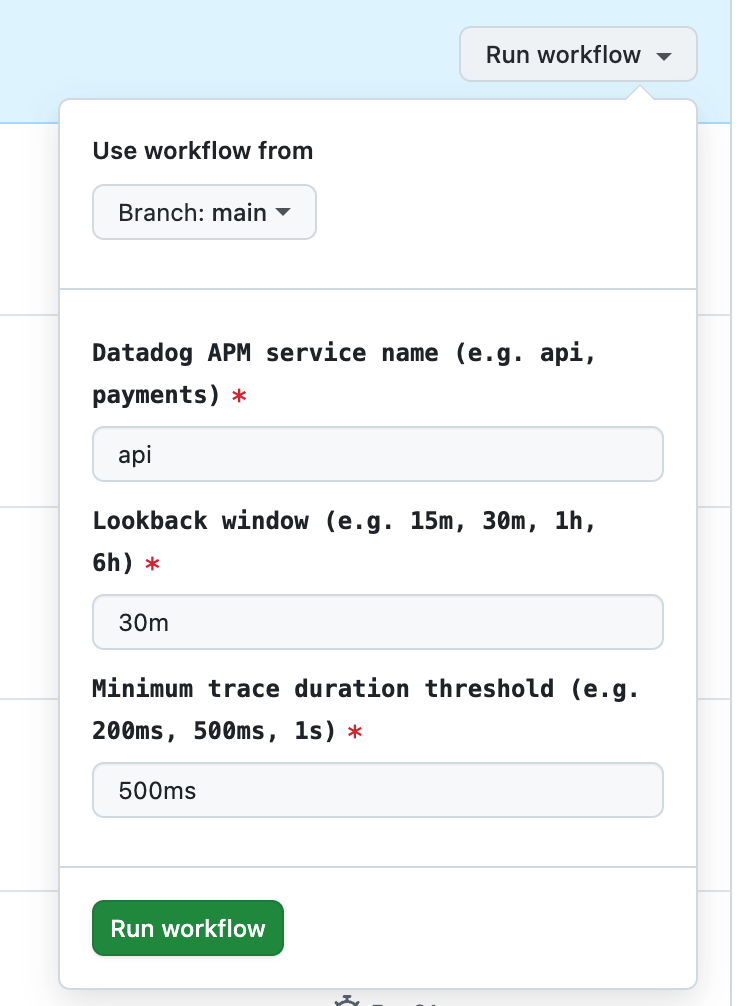
Executing this will generate a report similar to the one attached at the beginning of this chapter.
In conclusion
For a long time, we were unable to use Datadog MCP, but the release of Pup CLI and agent-skill brought a glimmer of hope for AI utilization.
This time, we tested it by manually executing GitHub Actions, but it seems possible to consider applications such as integrating with Slack and triggering it via a webhook.
I plan to make improvements to make it even more user-friendly!
(I really want to start using Datadog MCP soon!!!)
If you are interested in SRG, please contact us here.