
I tested the new AWS Security Agent feature.
IntroductionOverview and features of AWS Security Agent1. Design Review2. Code Security Review3. Penetration TestingVerification: Diagnosis using the custom app VulnBankAWS Security Agent SetupCode review settingsPenetration Test SetupSummary of this article
Introduction
This is Taniguchi from the Service Reliability Group (SRG) of the Media Division.
#SRGThe Service Reliability Group primarily provides comprehensive support for the infrastructure surrounding our media services, focusing on improving existing services, launching new ones, and contributing to open-source software (OSS).
This article is about the "AWS Security AgentThis article aims to provide information for those considering introducing or utilizing new services by actually testing the effectiveness of AI-based design reviews and clarifying the challenges of dynamic testing.
At re:Invent 2025, held in December 2025, AWS announced a new security service utilizing generative AI, "AWS Security Agent."
While previous security tools primarily relied on known pattern matching and rule-based detection, this new service stands out by its ability to "understand the application's context."
Its appeal lies in its end-to-end support throughout the development lifecycle, from design to implementation and ongoing testing. But how is its actual usability and accuracy?
This article reports on the results of our testing of the AWS Security Agent, released as a preview version, using our self-developed educational vulnerability application, "VulnBank."
This article is planned to be divided into two parts. The first part will introduce an overview of the AWS Security Agent and how to set it up, and the second part will summarize and explain how each function works.
As of December 2025, the AWS Security Agent is in preview and is only available in US East (N. Virginia).
Overview and features of AWS Security Agent
AWS Security Agent is a service that uses AI to analyze application blueprints, source code, and operating environments to detect and suggest remediation for security risks.
Its greatest feature is that it not only finds code flaws, but also reads documents such as architecture diagrams and requirements specifications, understanding the intent of the entire system before assessing risks.
Traditional SAST (Static Analysis) and DAST (Dynamic Analysis) tools suffered from a high rate of false positives and missed vulnerabilities stemming from business logic.
AWS Security Agent aims for a security review from a perspective closer to, or even exceeding, that of a human by having its generating AI interpret "what kind of data this application handles and how it processes it."
This service mainly consists of the following three functions:
1. Design Review
During the design phase before implementation, you will upload architecture diagrams and specifications (Markdown or PDF) to identify security risks in the design.
Based on standards such as the AWS Well-Architected Framework and OWASP Top 10, we will point out deficiencies in authentication and authorization, as well as issues with data handling.
2. Code Security Review
It integrates with repositories such as GitHub and analyzes the code as soon as a Pull Request is created.
It detects SQL injection vulnerabilities, hardcoded secrets, and other issues by considering not only the change diff but also information from the entire repository and related design documentation.
A key feature is that it not only points out vulnerabilities but also suggests the corrected code itself.
3. Penetration Testing
The AI agent performs simulated attacks on live web applications to verify vulnerabilities.
Testing is also possible on private resources within a VPC, and reproduction steps and suggested fixes are provided for any vulnerabilities found.
Verification: Diagnosis using the custom app VulnBank
This time, I intentionally created a web application called "VulnBank" using Go that contains vulnerabilities. The application intentionally includes the following vulnerabilities:
- SQL injection(Multiple locations) - Query construction using string concatenation
- IDOR(Insecure Direct Object Reference)- Lack of authorization checks
- Broken Access Control- Unauthorized access to administrator functions
- Hardcoded secret- JWT private key, administrator password, etc.
- Weak password policy- Lack of password verification
/debug/*
- Mass Assignment- Set any field from the request.
AWS Security Agent Setup
We will now proceed with the setup to use the AWS Security Agent.
First, you will create an agent space. All you need to create it is a name and a description.
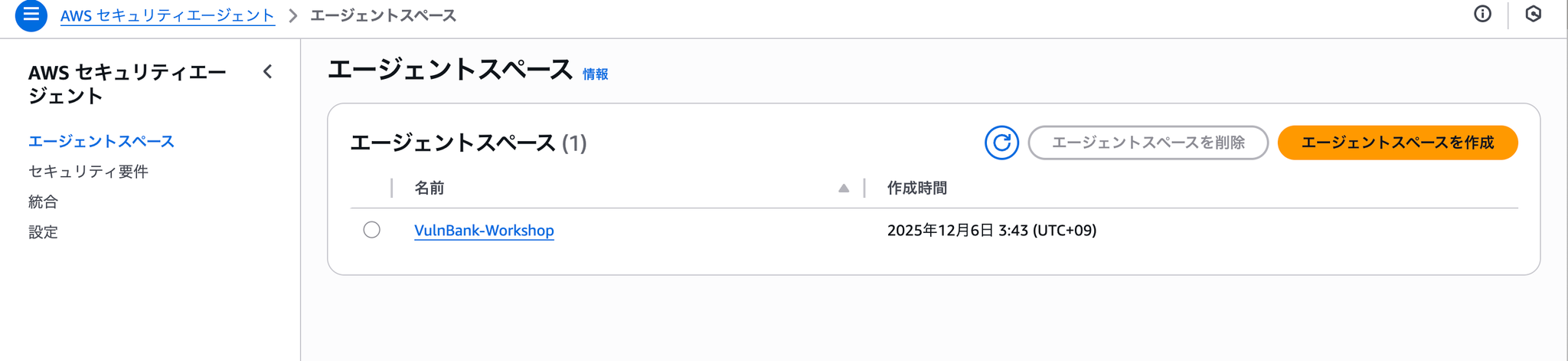
Once creation is complete, it will look like this:
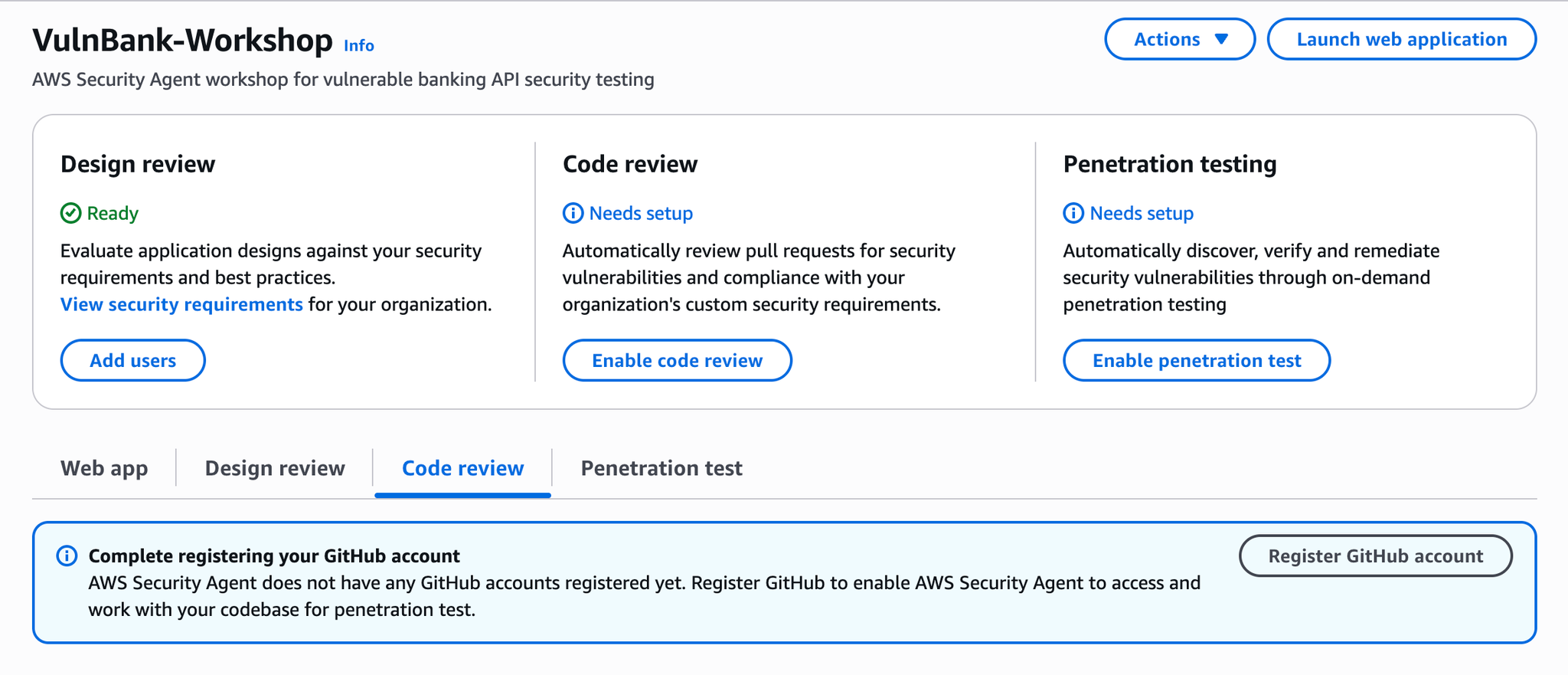
Penetration testingCode review settings
We will now configure each of them.
Enable code review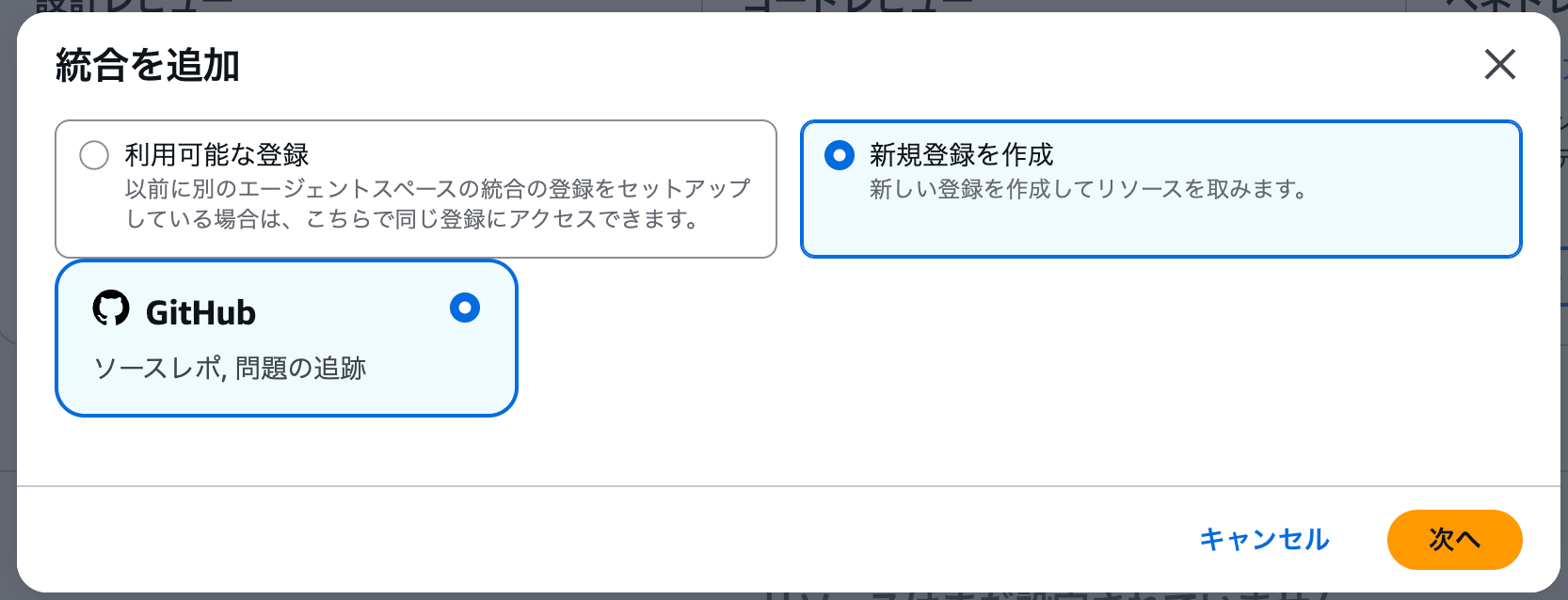
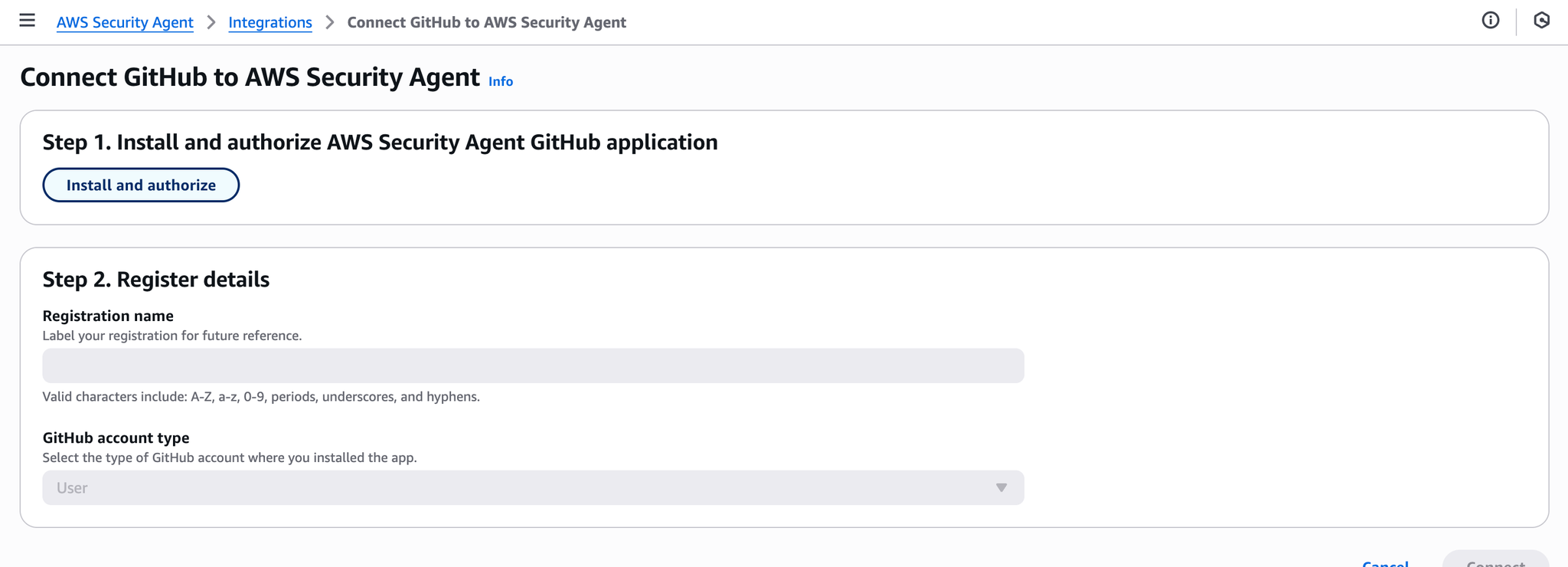
Install and authorize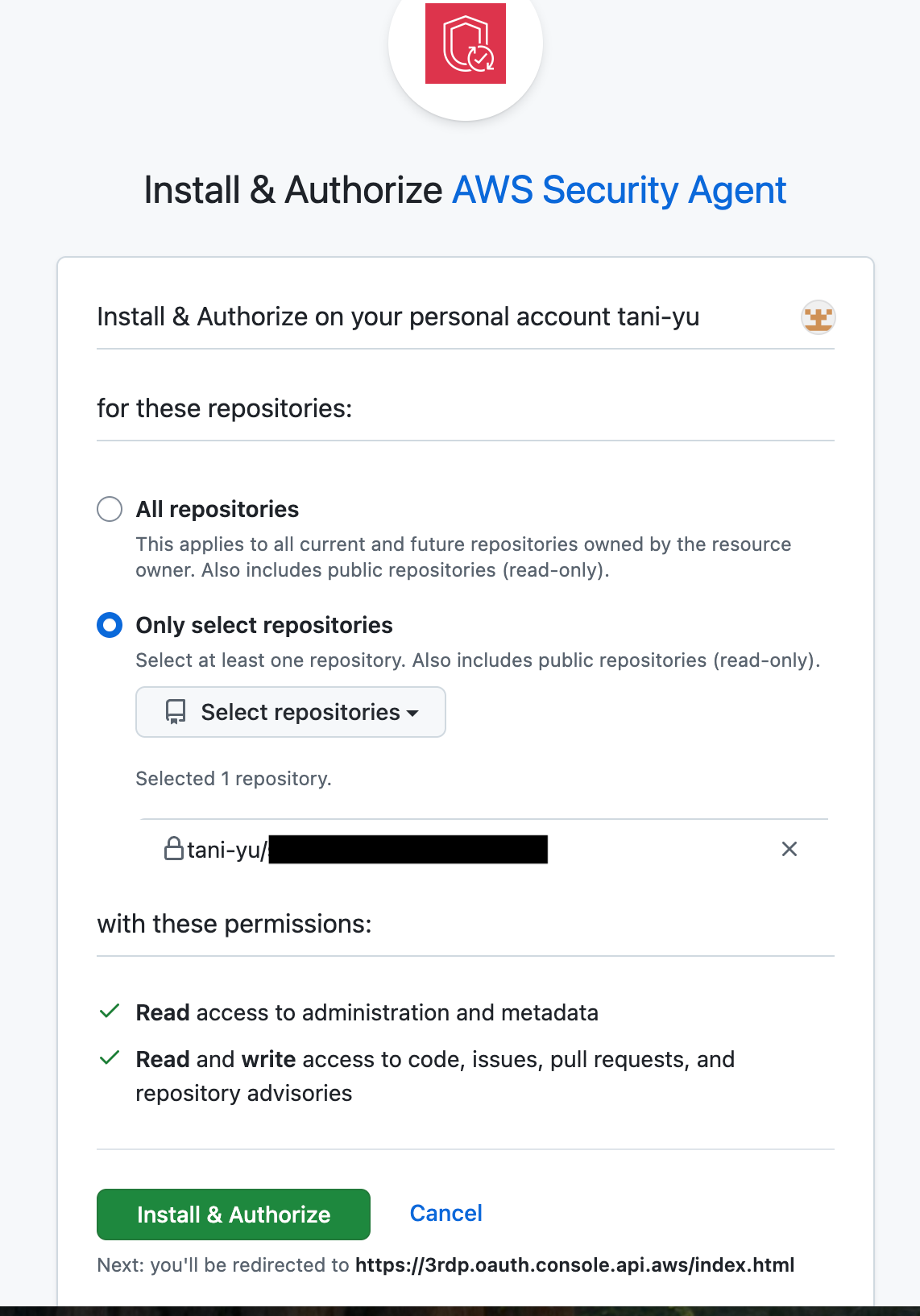
Install & Authorizeenable code review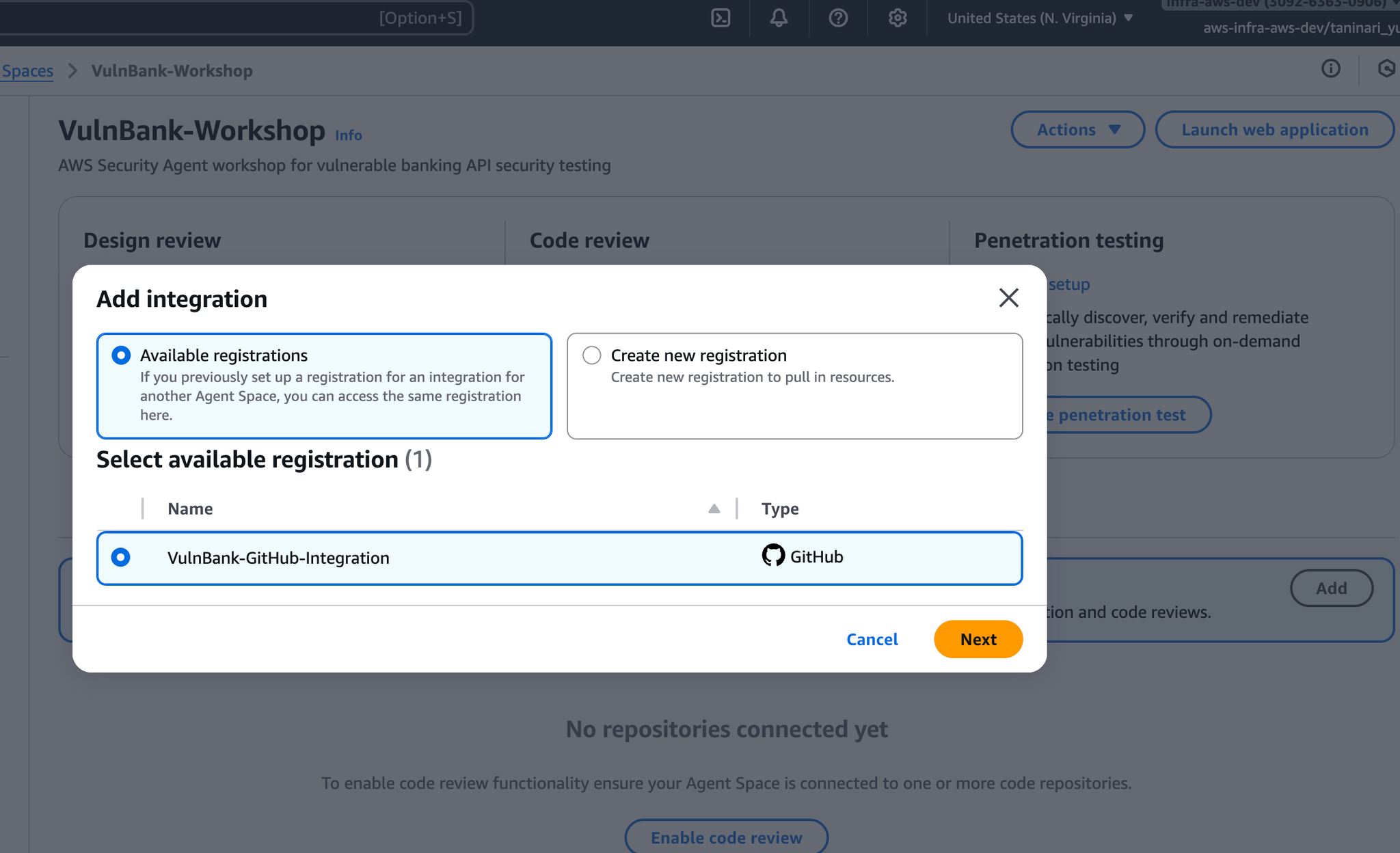
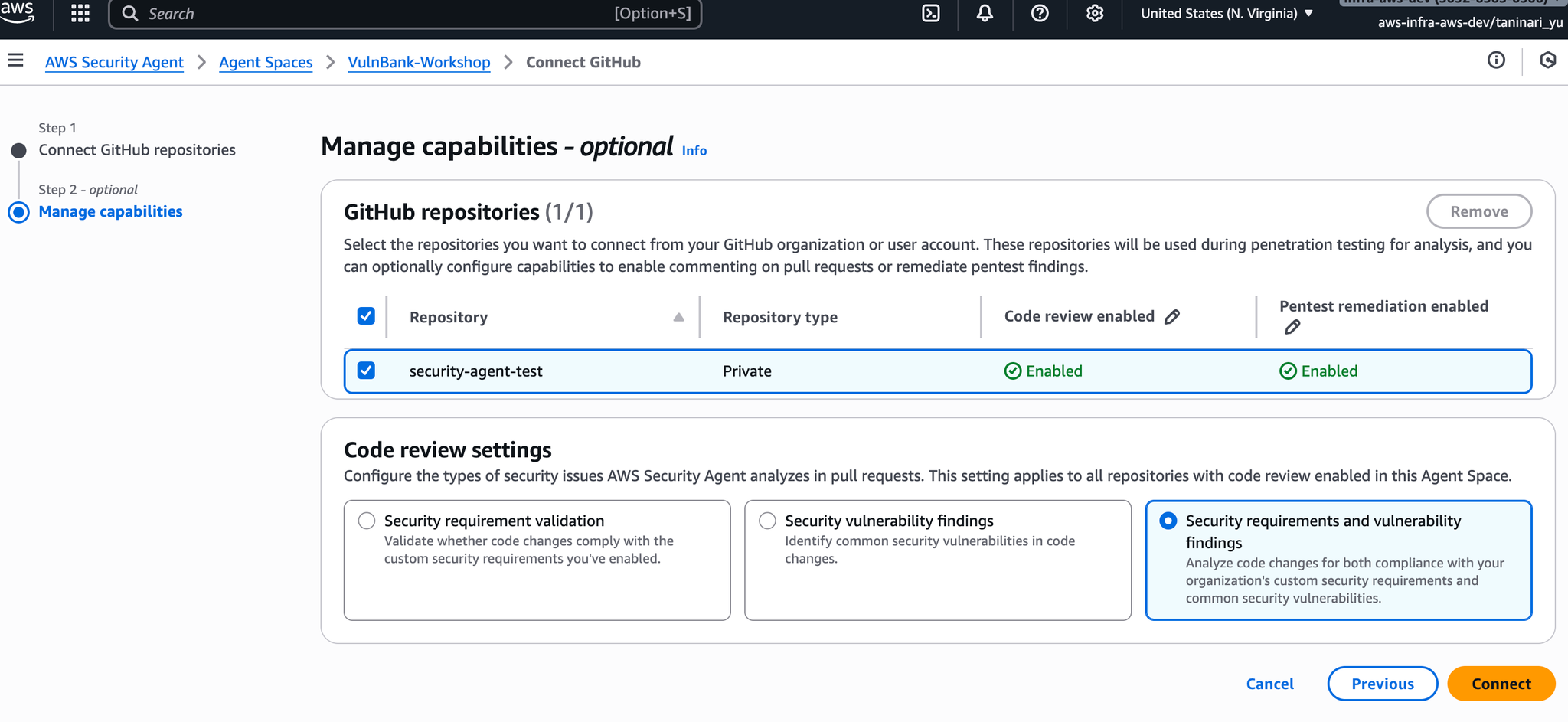
Pentest remediation enabledCode reviewPenetration Test Setup
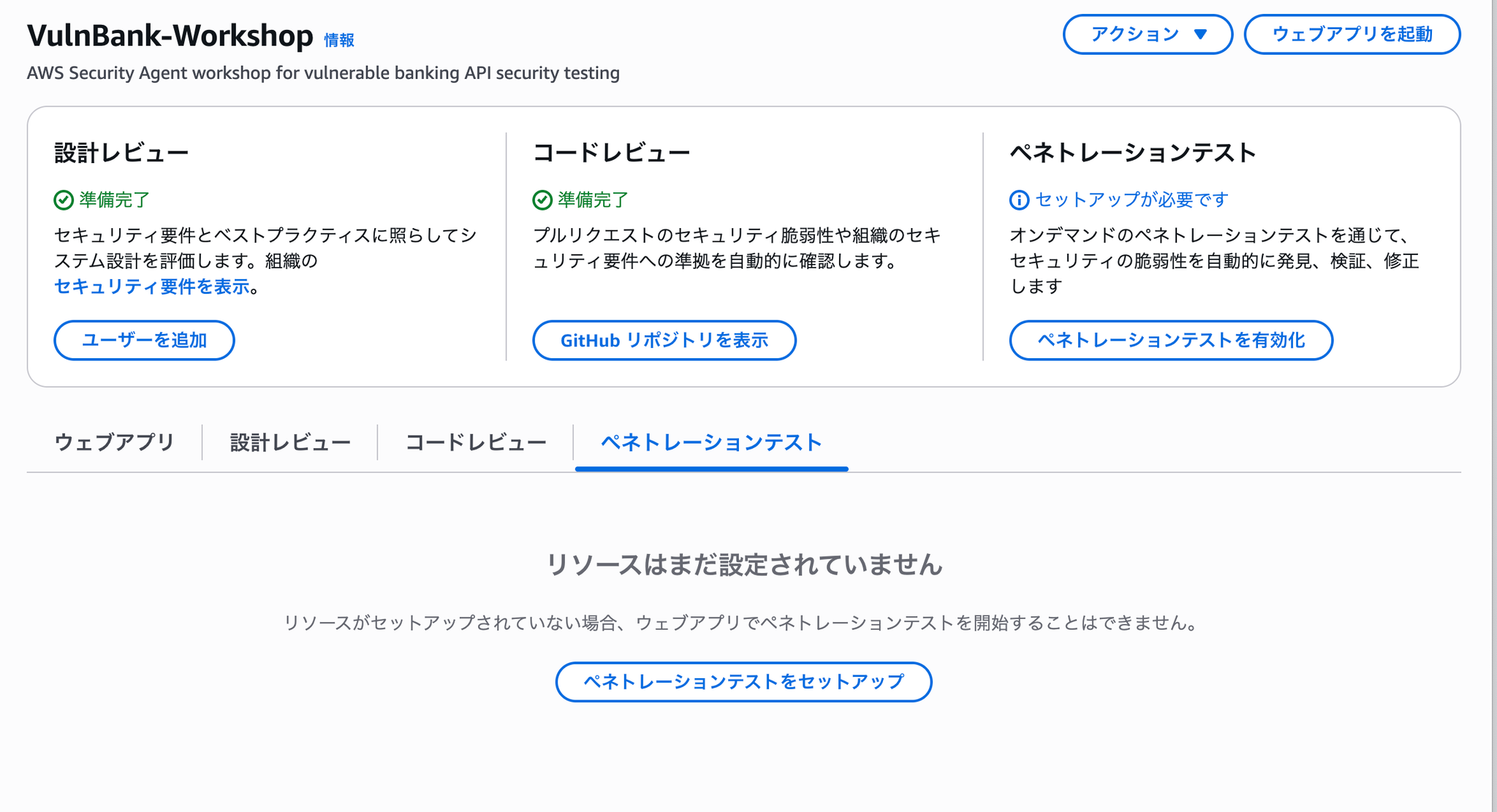
ペネトレーションテストをセットアップ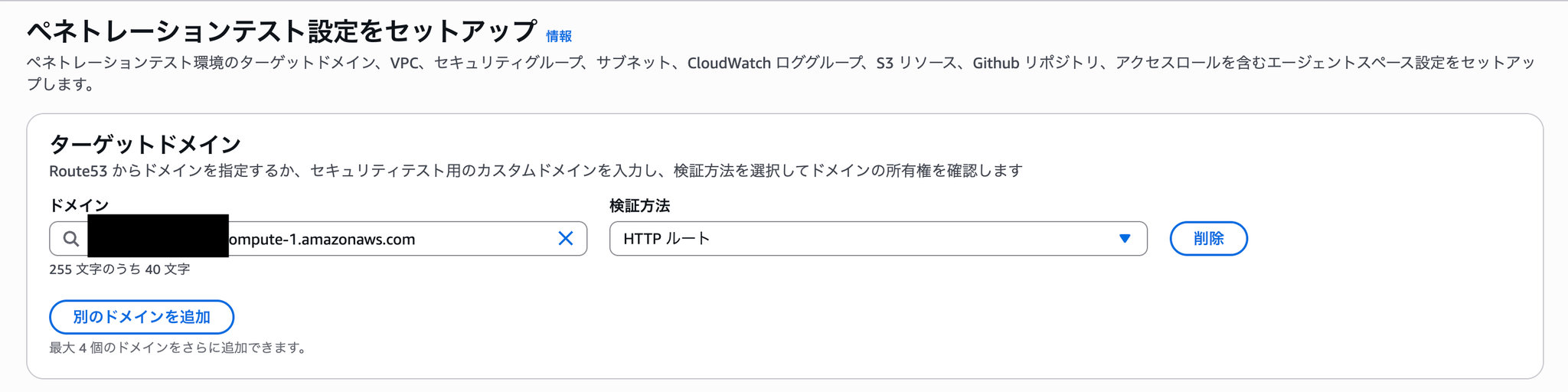
This time, I wanted to deploy the application to EC2 and run tests on the EC2 application, so I tried testing it using HTTP routes.
As I will explain later, this method ultimately resulted in a "failure" status and did not work.
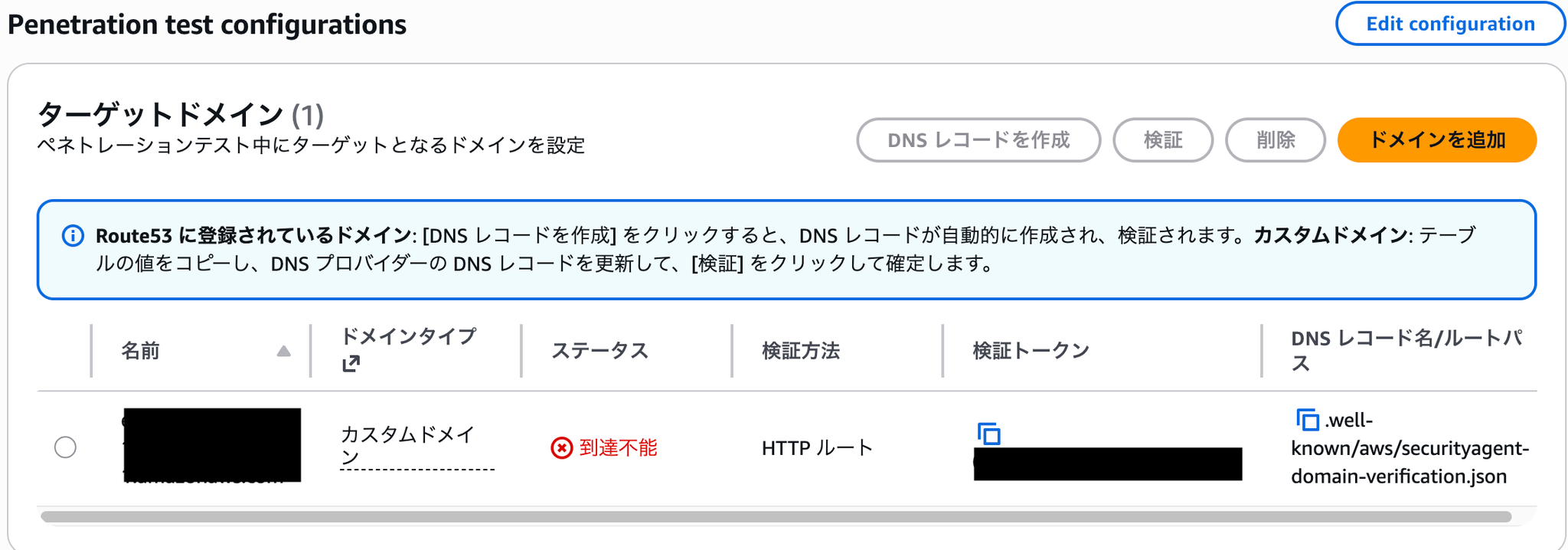
到達不能検証トークン失敗In this state of failure
- Change port 8080 → 80
- Change port from 80 to 443 (self-signed certificate)
- Try assigning a domain and accessing it via that domain.
- Create a certificate in ACM and change access to be via ALB.
失敗DNS テキストレコード検証済み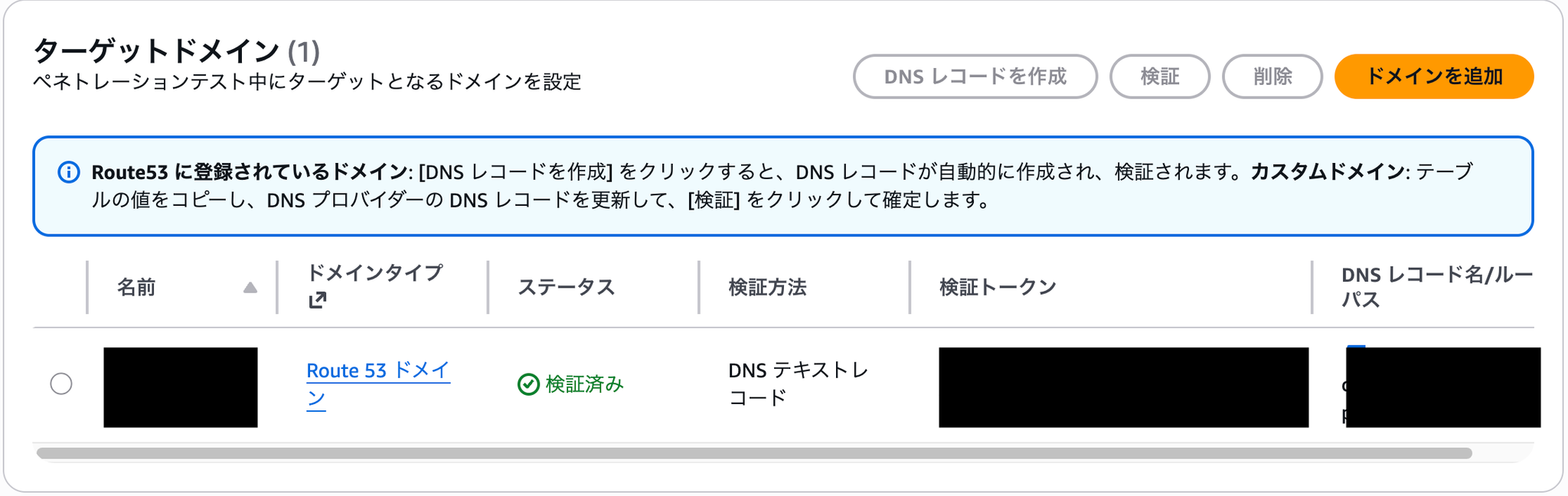
You can now confirm that all functions are available after completing the above settings.

Summary of this article
In this blog post, I introduced the AWS Security Agent and explained how to set it up.
失敗Next time, I plan to write a blog post summarizing the parts where we actually conducted code reviews and penetration tests.
SRG is looking for new team members.
If you are interested, please contact us here.