

Structuring Terraform code and generating architecture diagrams with nanobanana pro is very efficient.
This is Onikai (@fat47) from the Service Reliability Group (SRG) of the Media Division.
#SRGThe Service Reliability Group primarily provides comprehensive support for the infrastructure surrounding our media services, focusing on improving existing services, launching new ones, and contributing to open-source software (OSS).
This article suggests that it's a good idea to structure Terraform code using Repomix and then create an architecture diagram using Gemini (Nanobana Pro).
I hope this is of some help.
What is Nanobanana Pro?What is Repomix?A prompt to generate an architecture diagram.Image generation with Gemini CLIIn conclusion
What is Nanobanana Pro?
Nano Banana Pro (Gemini 3 Pro Image) is an AI image generation model announced by Google on November 20th. It boasts significantly higher output accuracy compared to previous models and is capable of outputting text without distortion.
What is Repomix?
Repomix is an open-source project created by yamadashy that consolidates an entire repository into a single file that is easy for AI to understand.
In this example, we run Repomix on the repository that manages the Terraform code, which combines all the modules and resources that are separated into directories within the repository into a single XML file.
Repomix installation
When executed in the repository directory, a repomix-output.xml file will be generated in that directory.
A prompt to generate an architecture diagram.
Since it sometimes wouldn't generate images when I used Japanese, I'm giving instructions in English.
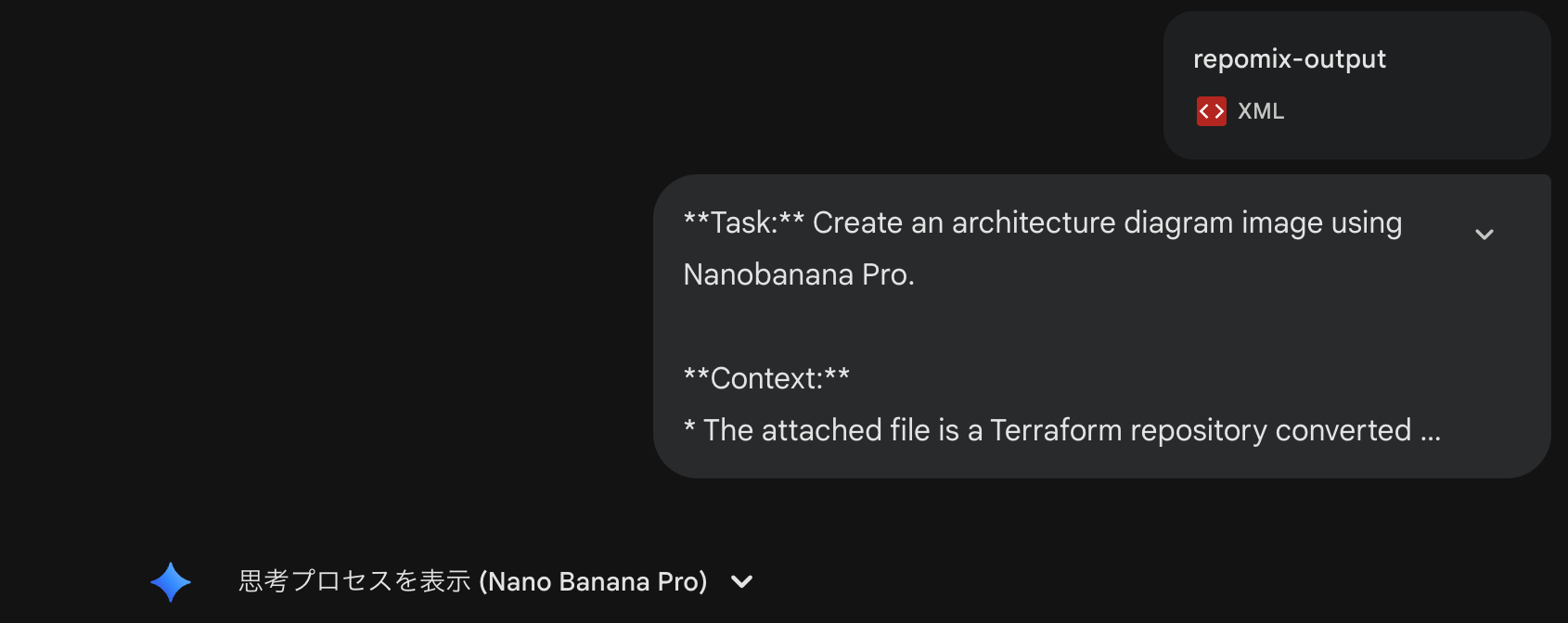
task:Create an image of the architecture diagram using Nanobanana Pro.
background:
- The attached file is a Terraform repository converted to XML using Repomix.
common
- Other directories represent individual services.
Restrictions:
- Clearly visualize the connection relationships between components.
- IAM roles are excluded.This reduces complexity.
- Route53 record information is excluded.do.
Provide Gemini with these instructions and the file generated by Repomix (repomix-output.xml).
This architecture diagram was generated this time.
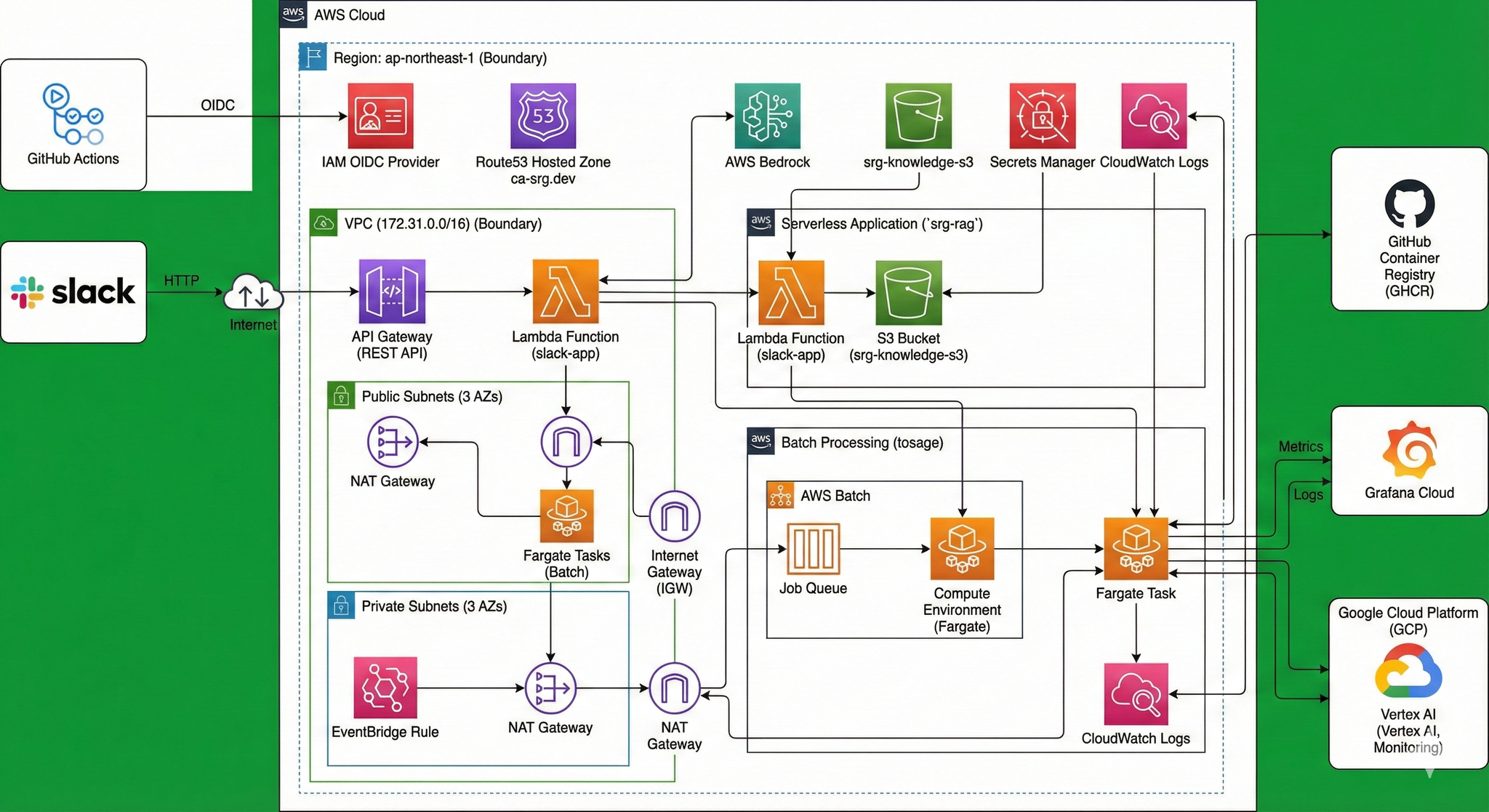
Image generation with Gemini CLI
You can generate images not only from the Gemini WebUI but also from the CLI.
To generate images from the CLI, install gemini-cli-xtensions/nanobanan.
Please refer to this page for information on gemini-cli-extensions.
install
To enable nanobanana pro, set the following environment variables.
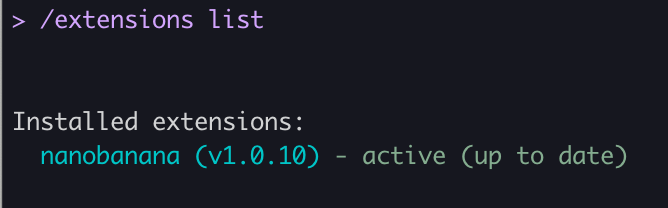
Launch gemini and check the extensions.
This confirms that the nanobanana extension is now enabled.
The nano banana extension has the following commands:
/generate- Specify style and variation options to generate one or more images.
/edit- Edit the image.
/restore- Repairs and restores images.
/icon- Generates app icons, favicons, and UI elements in multiple sizes.
/pattern- Generates seamless patterns and textures that can be used as backgrounds.
/story- Generates a series of images that tell a visual story or process.
/diagram- Generates technical drawings, flowcharts, architectural mockups, etc.
/nanobanana- This is an interface using natural language (spoken language).
While you can explicitly specify the type of image to generate, this time we'll try generating it using natural language commands with /nanobanana.
In the repository directory where the Terraform code is located, run gemini to invoke the extension.
Execution command
Looking at the execution screen, you can see that the repomix-output.xml file is read and the generate_diagram tool is called.
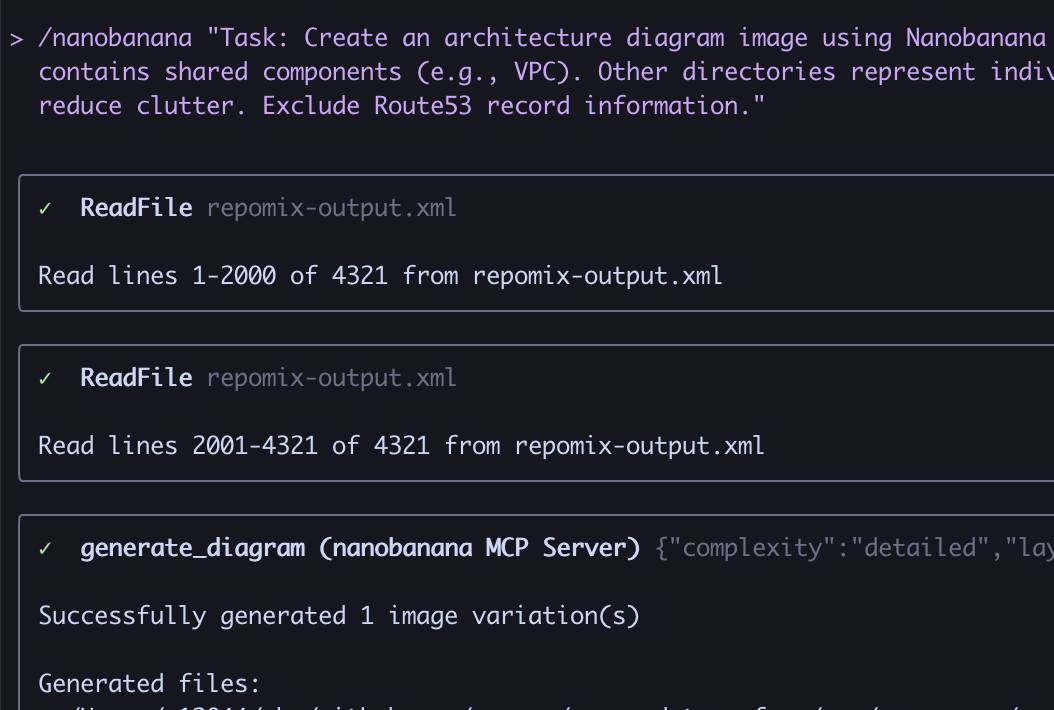
nanobanana-outputLet's take a look at the image.
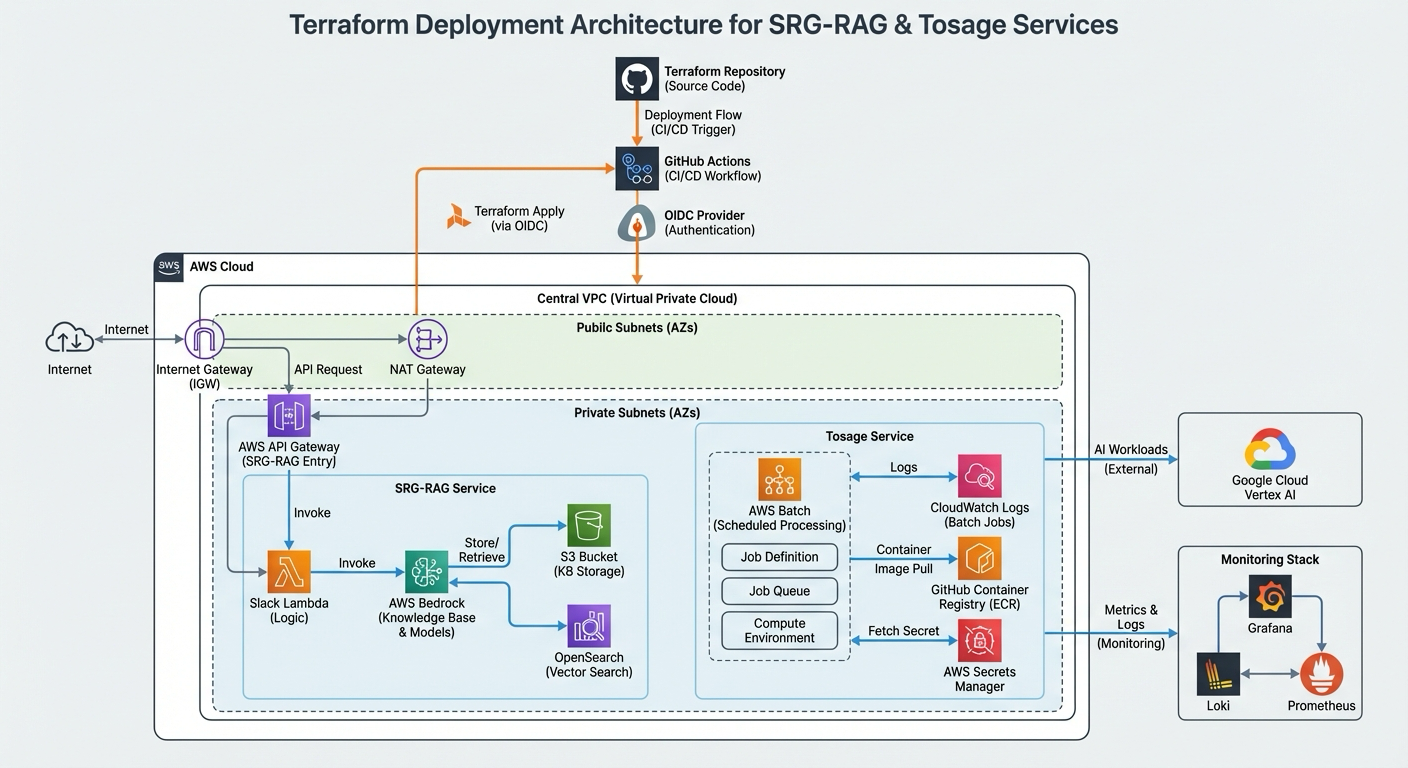
Because the diagram tool was invoked, I think the resulting image is more organized as an architectural diagram than the image generated from the Gemini WebUI.
In conclusion
I'm amazed by the precision of the nanobanana pro.
By making it executable from the CLI, it can be integrated into CI, allowing for the constant generation of the latest architecture diagrams in line with code updates.
If you are interested in SRG, please contact us here.