
The development experience with spec-workflow-mcp is really great.
#SRGThe Service Reliability Group primarily provides comprehensive support for the infrastructure surrounding our media services, focusing on improving existing services, launching new ones, and contributing to open-source software (OSS).
This article introduces the appeal and usage of "spec-workflow-mcp," a tool that provides a comfortable development experience.
IntroductionWhat is spec-workflow-mcp?Why spec-workflow-mcp is so greatKeep the repository cleanIntuitive specification management via a web UIProgress management that remains unfazed even by Auto CompactComparison with KiroPractical experience: The development experience was very good.Creating a steering wheelCreating specificationsTask implementationIt's okay to stop it once.To get started nowsummary
Introduction
In recent years, the rapid spread of AI-powered software development has brought about a major transformation in our development workflows.
In this context, "specification-driven development," which involves clearly defining specifications and developing in collaboration with AI agents, is attracting attention.
GitHub's "Spec Kit" is one example of this, but it has a feature that automatically generates many folders in the project's root directory, and many developers were hesitant about their repositories being modified unintentionally.
This article introduces "spec-workflow-mcp," a tool that solves these problems and enables more comfortable AI-assisted development, highlighting its appeal and specific usage methods.
What is spec-workflow-mcp?
spec-workflow-mcp is a structured, specification-driven development workflow tool designed for AI-assisted software development.
Its most distinctive feature is that it operates as a Model Context Protocol (MCP) server.
This allows spec-workflow-mcp to powerfully support development workflows without cluttering the repository itself.
Additionally, a real-time updated web dashboard and VS Code extension are provided, allowing you to intuitively monitor and manage project progress.
Why spec-workflow-mcp is so great
My reasons for highly valuing spec-workflow-mcp are primarily as follows:
Keep the repository clean
scriptsThis is a significant advantage when introducing it to existing projects or for teams that prioritize repository management policies.
Intuitive specification management via a web UI
spec-workflow-mcp provides a web UI for managing all documents, including requirements, designs, and tasks.
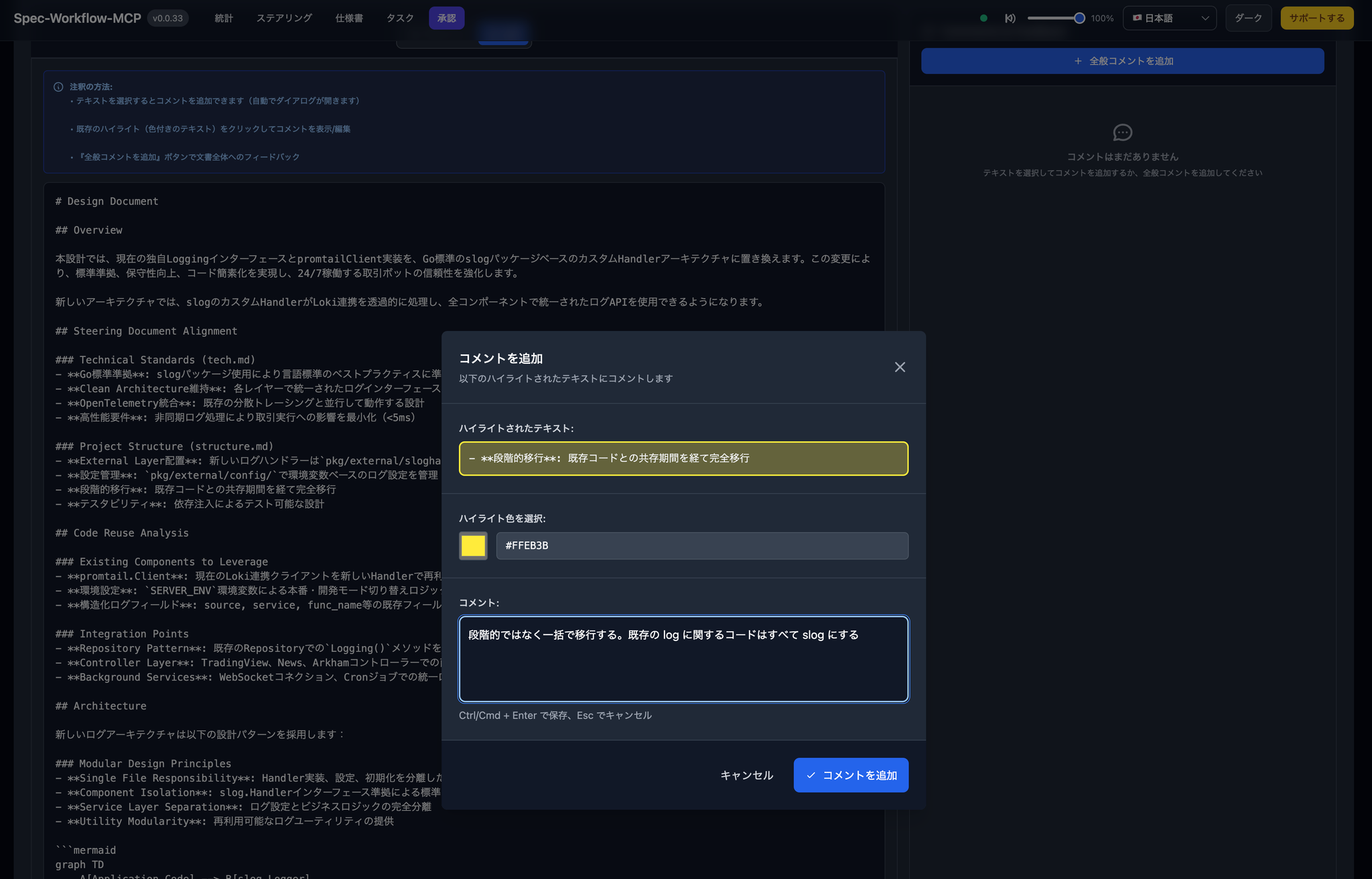
Through this UI, stakeholders can review the document, highlight areas that need correction, and leave comments.
This makes refining specifications much easier and facilitates smoother alignment of understanding within the team and with stakeholders.
Progress management that remains unfazed even by Auto Compact
Some AI tools, like Claude Code, have a feature called "Auto Compact" that automatically summarizes past interactions when the context window approaches its limit.
While this is a convenient feature, when it activates at an unintended time, it can cause important context to be lost and interrupt work.
With spec-workflow-mcp, the progress status of each task phase is persistently managed as a file.
Therefore, even if Auto Compact has started, you can always check the recent completion status of tasks and the next tasks to be implemented via a file.
This eliminates the need to be overly sensitive to Auto Compact, allowing you to focus on development.
Comparison with Kiro
I felt that spec-workflow-mcp has advantages even when compared to Kiro, which is also an AI-assisted development IDE.
Kiro is very feature-rich, but it requires launching a dedicated IDE.
On the other hand, spec-workflow-mcp can be easily implemented because it simply adds it as an MCP server to an existing development environment.
Furthermore, the sense of security and convenience that comes from file-based state management is something I personally find superior to Kiro.
Practical experience: The development experience was very good.
Following the spec-workflow-mcp workflow, we proceeded from requirements definition to design, task decomposition, and implementation, and the development experience was excellent.
I found that the web UI made it very easy to see changes in specifications and check progress, which greatly facilitated collaboration with the AI agent.
Since I need to use MCP, I have a custom slash command in Claude Code.
The code included in the screenshots below is from a personal repository.
Steering creation
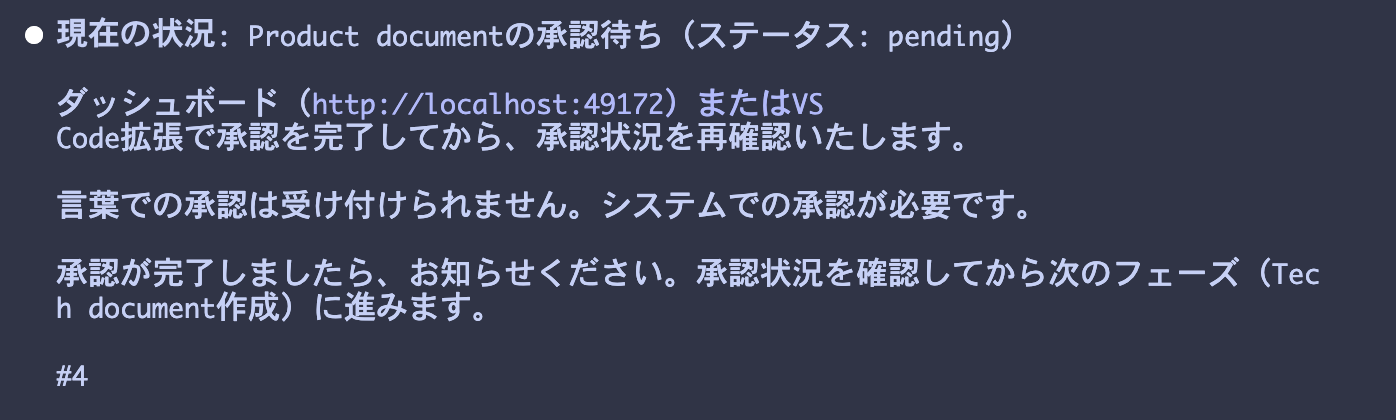
Creating specifications
The system is designed so that it cannot proceed to the next step without the user's permission.
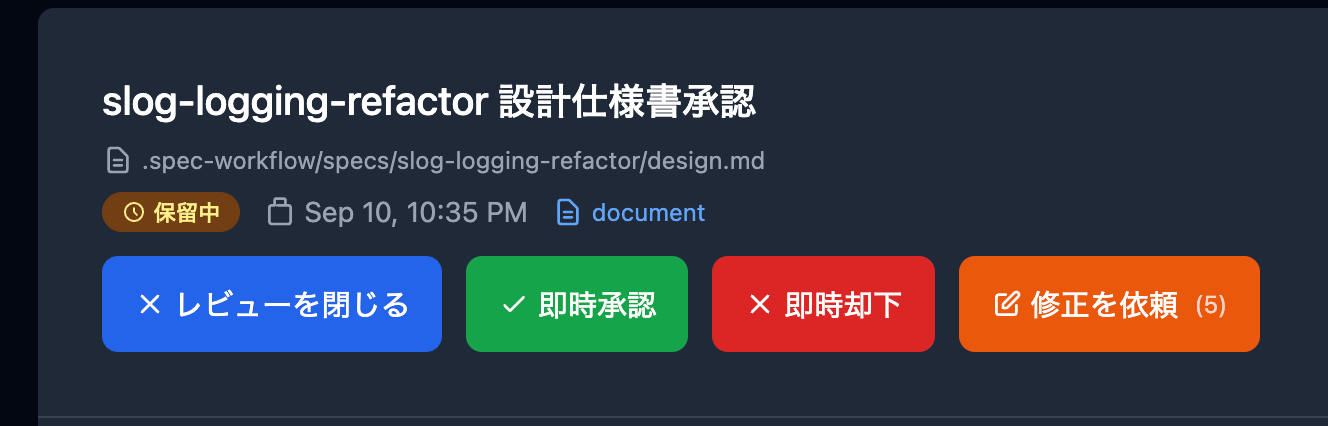
If you comment on the parts you want corrected like this and select "Request Correction," they will polish it up for you.

Task implementation
Once the design, requirements, and tasks phases are complete, we move on to the implementation phase.
Since the task phases are also managed in a file, it would be fine to auto-compact them, but for some reason I stop the process after each task is completed (it's a matter of preference).
mcp__spec-workflow__manage-tasks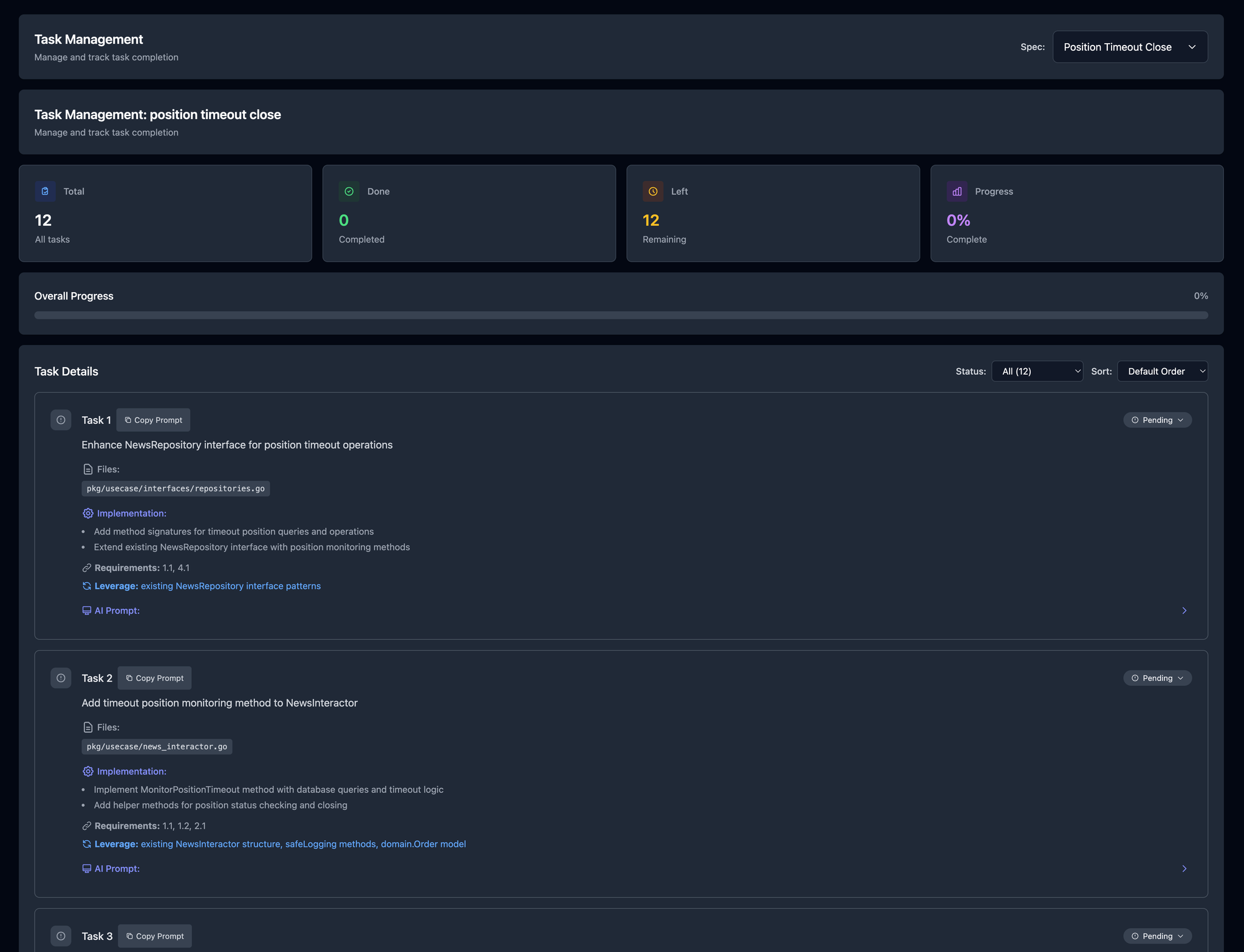
It's okay to stop it once.
/spec:implement ~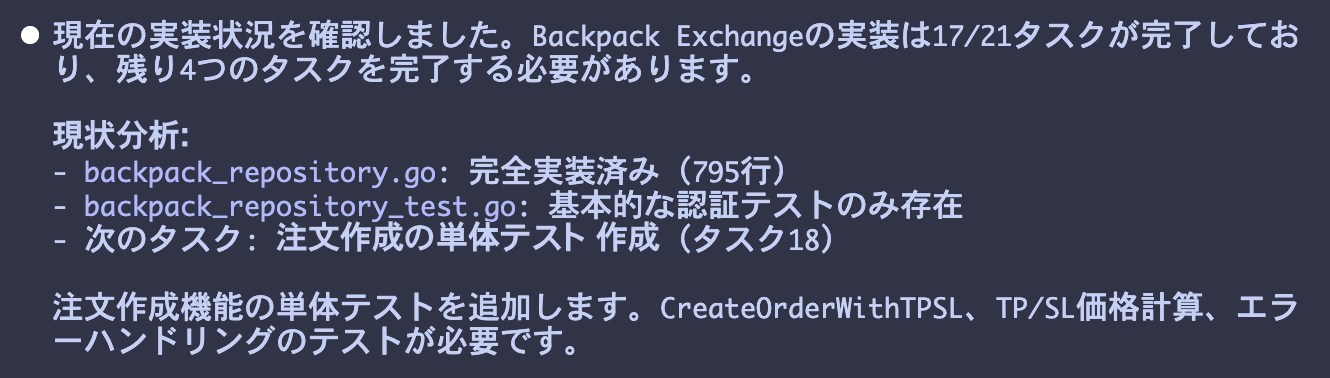
To get started now
Installing spec-workflow-mcp is very easy. If you have a Node.js environment, you can start the server at the specified project path by simply running the following command.
summary
spec-workflow-mcp is an extremely powerful tool that elegantly solves the challenges of specification management, progress tracking, and collaboration in AI-assisted development.
By keeping repositories clean while providing an intuitive UI and robust progress tracking features, developers can focus on more essential work.
In a future where writing code alongside AI becomes commonplace, I am confident that this tool has the potential to become the new standard for many developers.
SRG is looking for new team members.
If you are interested, please contact us here.