

Let's try monitoring the MySQL Router using mysqlrouter_exporter.
#SRGThe Service Reliability Group primarily provides comprehensive support for the infrastructure surrounding our media services, focusing on improving existing services, launching new ones, and contributing to open-source software (OSS).
This article is an introduction to the Prometheus Exporter for MySQL Router used in InnoDB Clusters, which I am currently developing.
mysqlrouter_exportermysqlrouter-goMetricsIt can also be used for monitoring the health of the MySQL Router.Grafana DashboardDisplay dashboard for each serviceHealth statusRoute Active ConnectionsRoute Total ConnectionsAll Connections InformationRoute byte from/to serverIn conclusion
The images shown below include the service name and IP address because they are for testing and implementation on a personal service unrelated to the organization or company I belong to.
mysqlrouter_exporter
This is an exporter that collects metrics from the MySQL Router REST API and outputs them in Prometheus format.
It is available as both a container and a binary.
Since MySQL Router recommends one instance per application, the mysqlrouter_exporter container image size is kept small at 22MB to make it easier to use as a sidecar.
mysqlrouter-go
This exporter is implemented using mysqlrouter-go, the SDK for the MySQL Router REST API.
Metrics
mysqlrouter_exporter retrieves all metrics output by the MySQL Router REST API.
It can also be used for monitoring the health of the MySQL Router.
mysqlrouter_router_up0Grafana Dashboard
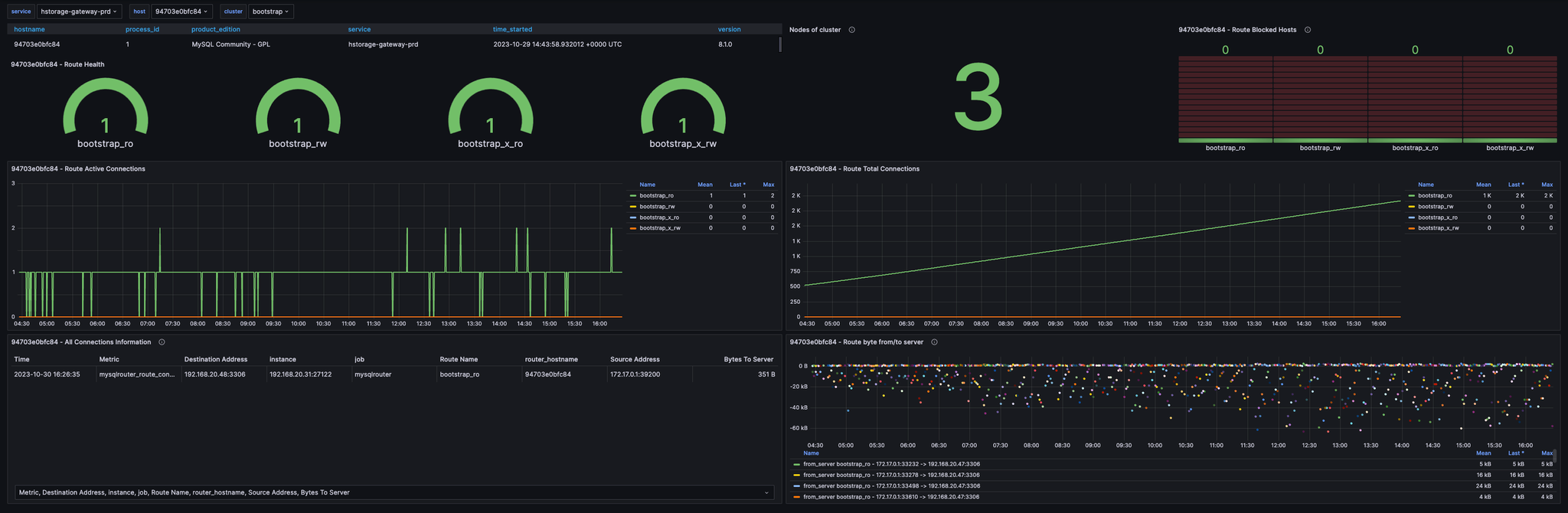
We have also published a Grafana dashboard.
Display dashboard for each service
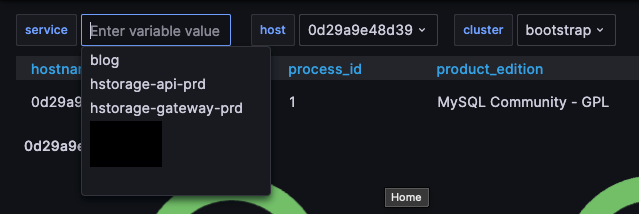
--service-nameThis allows you to view MySQL Router information for each service and each container (host).
Health status

You can see the health status of each Route.
A value of 1 indicates an Up (up) route, while a value of 0 indicates a Down (down) route.
You can also check the number of nodes in the cluster and the number of hosts whose connections were refused.
You can also indirectly check the status of Group Replication.
Route Active Connections
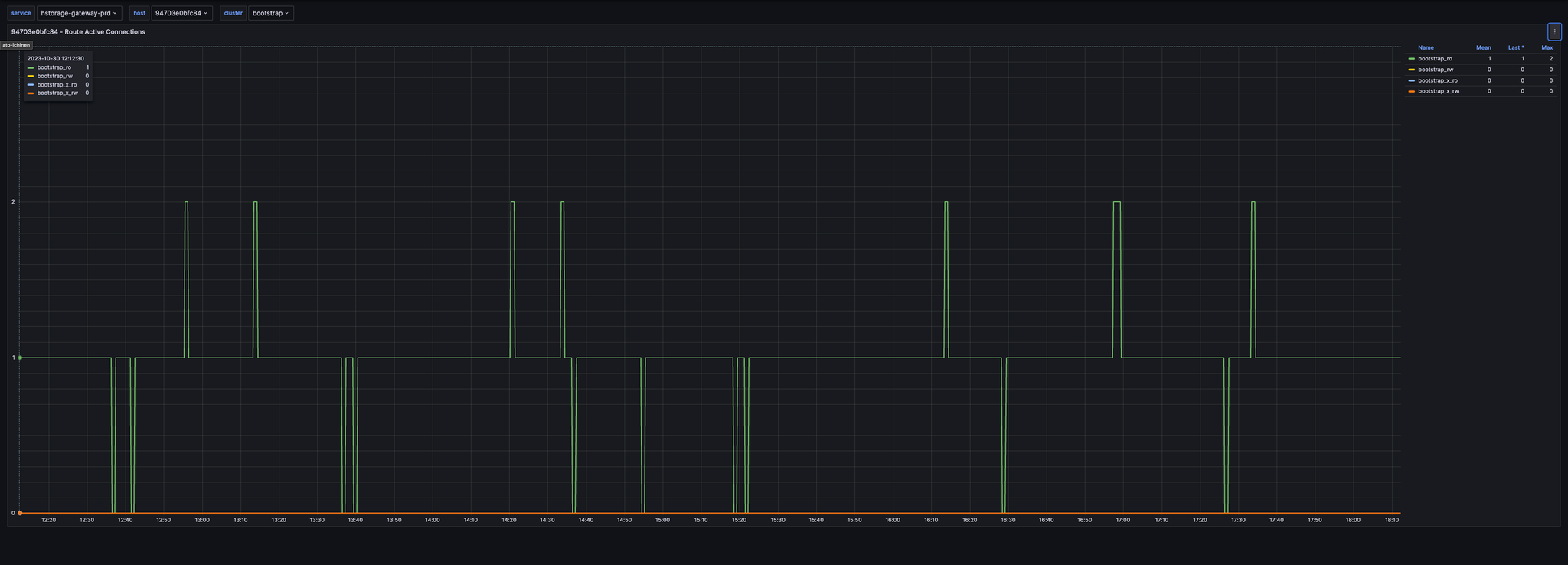
This displays the number of active connections for the destination Route.
Route Total Connections
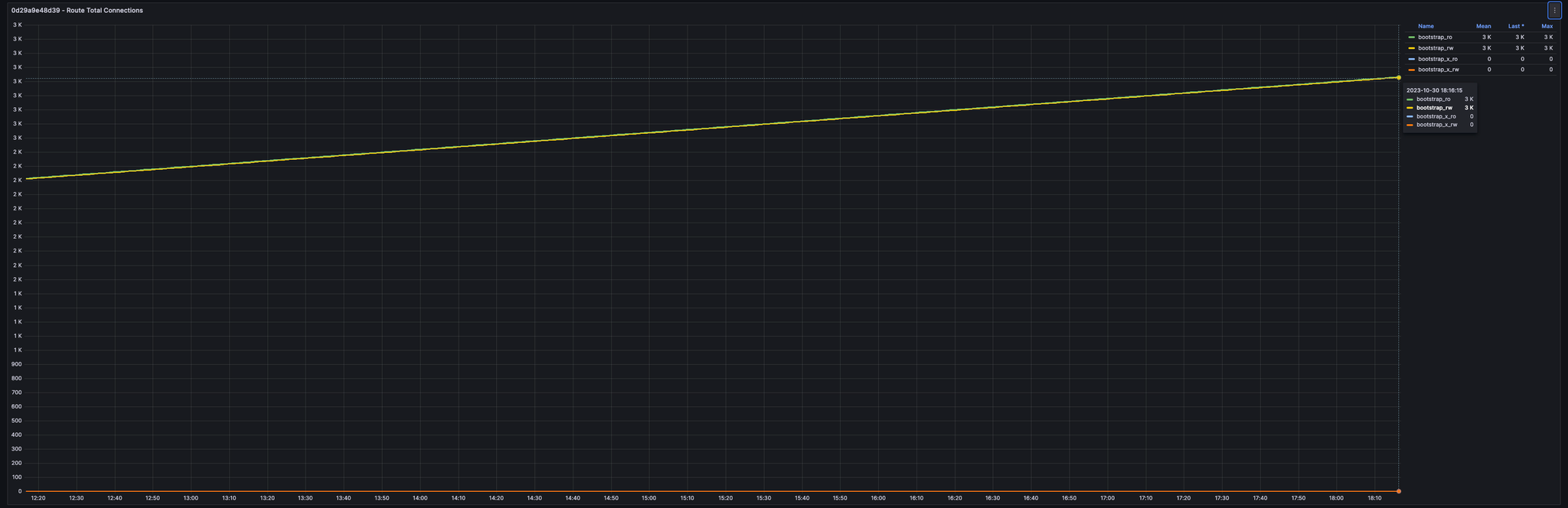
Displays the total number of connections for the destination Route.
All Connections Information
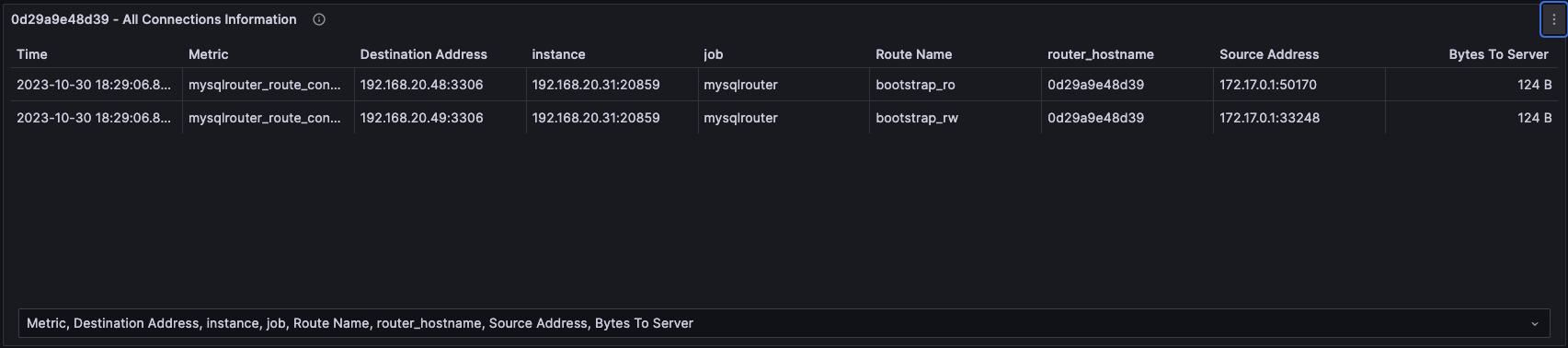
This displays which MySQL instance each route connected to and how much traffic it sent.
Route byte from/to server
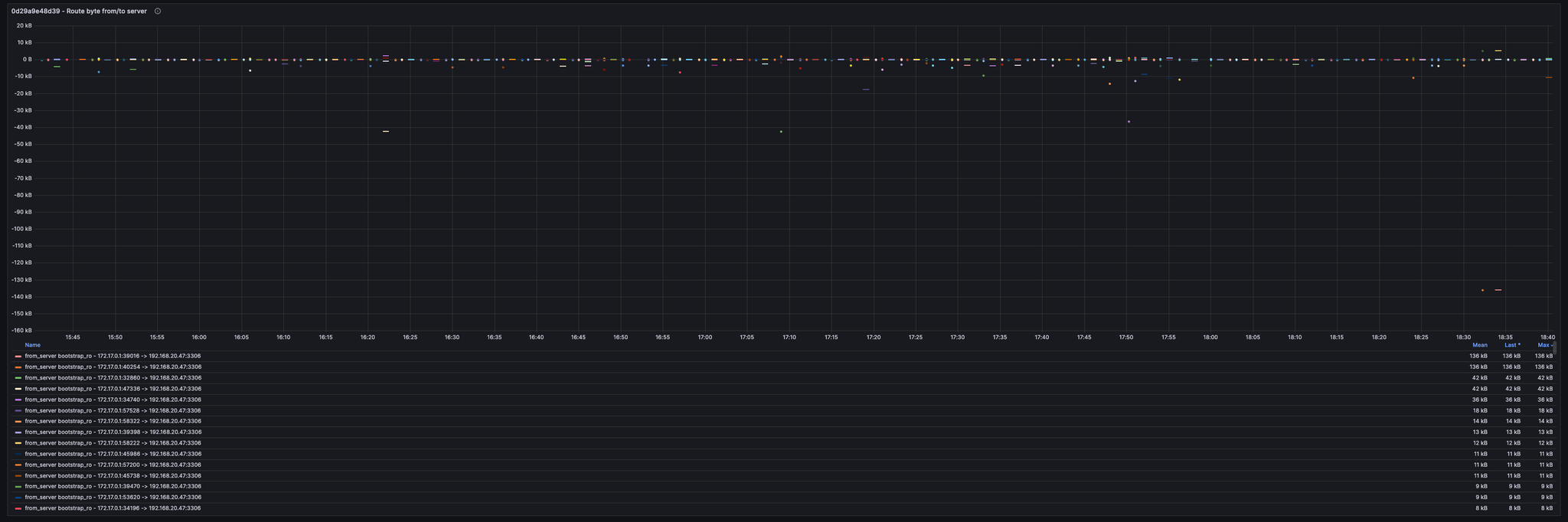
This displays the amount of traffic generated for each route and connection.
In conclusion
If you are planning to build an InnoDB Cluster or are already using one, try using mysqlrouter_exporter to monitor your MySQL Router.
SRG is looking for new team members.
If you are interested, please contact us here.
SRG runs a podcast where we chat about the latest hot IT technologies and books. We hope you'll enjoy listening to it while you work.