
[Excitement] It is now possible to connect to RDS (Aurora) on a private subnet using a CloudShell VPC environment.
This is Yuta Kikai (@fat47) from the Service Reliability Group (SRG) of the Media Division.
#SRGThe Service Reliability Group primarily provides comprehensive support for the infrastructure surrounding our media services, focusing on improving existing services, launching new ones, and contributing to open-source software (OSS).
This article describes how CloudShell's feature update now allows you to connect to RDS (Aurora) from CloudShell.
I hope this is of some help.
CloudShell VPC environment feature updateTrying to connect to RDS (Aurora) using a CloudShell VPC environmentIn conclusion
CloudShell VPC environment feature update
On June 13, 2024, CloudShell's functionality was updated, allowing it to be launched in any VPC environment (by specifying a subnet).
For more details, please refer to the article by Classmethod.
The AWS CloudShell User Guide contains announcements about new features, serving as the primary source of update information.
Until now, CloudShell could only be created in public environments, so it was not possible to access resources on private VPCs.
This new CloudShell VPC environment feature makes it possible to use CloudShell in the same VPC environment where RDS is running.
In other words, it becomes possible to connect to RDS on a private subnet.
Furthermore, since you can assign up to five security groups to a CloudShell environment, you can assign a security group that can connect to Aurora MySQL.
There are limitations, such as the inability to use persistent storage, so these should be taken into consideration.
This is a major update, as previously it was not possible to connect to the database without setting up a jump server.
Trying to connect to RDS (Aurora) using a CloudShell VPC environment
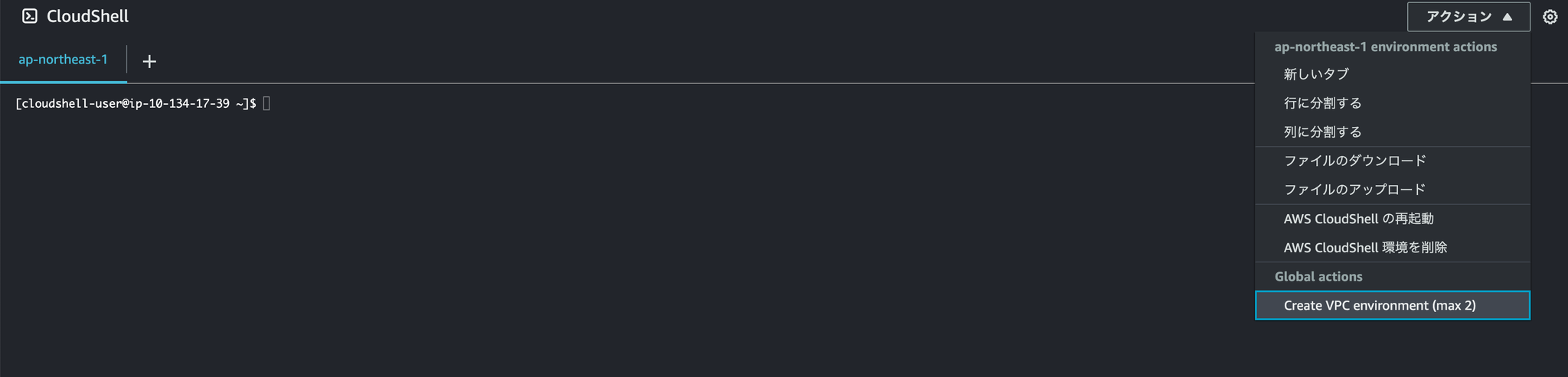
Launch CloudShell, then select "Actions" → "Create VPC environment (max 2)" in the upper right corner.
Name: [Any environment name]
Virtual Private Cloud (VPC): [Select the VPC you want to launch]
Subnet: [Select the subnet you want to activate]
Security group: [Assign security groups (maximum 5)]
Enter the information and press "Create".
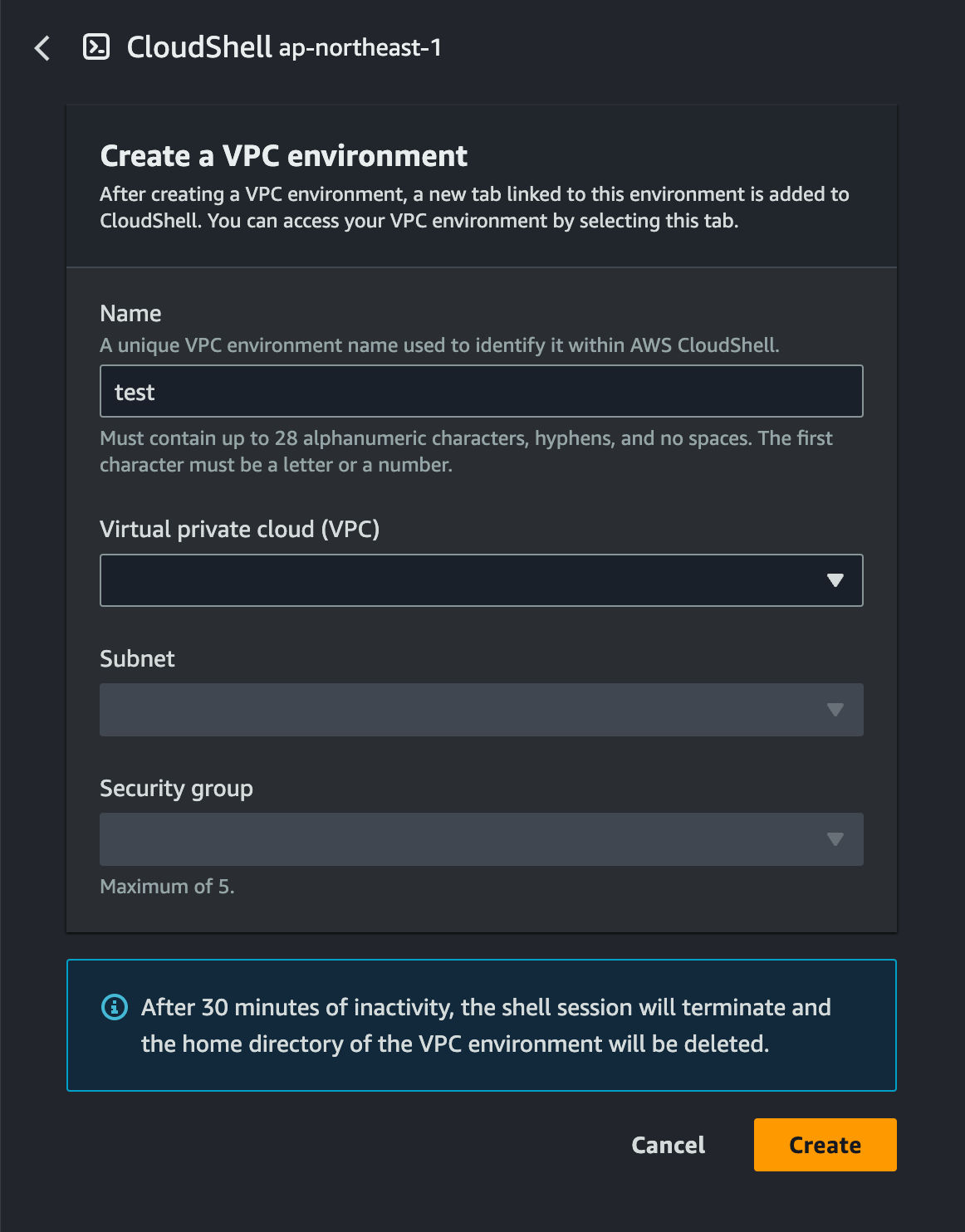
The CloudShell environment will start up, so all you need to do is connect to Aurora MySQL.
The client had MariaDB 10.5.23 installed.
In conclusion
Until now, it was necessary to set up a jump host environment just to perform simple database operations.
With this feature update, you can now perform simple operations without having to prepare those environments!
It's great to see updates that address even the smallest details.
SRG is looking for new team members.
If you are interested, please contact us here.