
Implementing a redundant MySQL configuration using Orchestrator
This is Onikai (@fat47) from the Service Reliability Group (SRG) of the Technology Division.
#SRGThe Service Reliability Group primarily provides comprehensive support for the infrastructure surrounding our media services, focusing on improving existing services, launching new ones, and contributing to open-source software (OSS).
This article is located within SRG.DBWGThe DB Working Group is releasing database-related materials that it provides to the entire company.
I hope this is of some help.
IntroductionWhat is an Orchestrator?Orchestrator SetupVerification environmentWorking on Orc-adm (management server)Work on the managed DB server.Working on Orc-adm (management server)Registering a cluster using the management GUIIn conclusion
Introduction
When using MySQL in a replication configuration, you need to consider redundancy in case the source (master) database goes down due to some kind of failure.
We need to implement a mechanism that detects a downtime and automatically promotes the replica (slave),
MySQL MHA has been widely used for a long time.
While MHA is still in use, no new versions have been released since MySQL MHA 0.58 (released in 2018).
Therefore, I would like to introduce Orchestrator, which offers similar functionality to MySQL MHA and is regularly updated.
What is an Orchestrator?
This tool manages MySQL's high availability and replication configurations, offering features such as replication visualization, slave swapping, and automatic failover.
This product was developed by Shlomi Noach and is used by GitHub and Booking.com.
Compared to MySQL MHA, it has the following advantages:
- You can visually check the replication status and perform failover using a GUI.
- An agent like an MHA node is not required on the DB side.
- Simply register the source (master) to automatically add managed objects.
- In addition to the GUI, there is also a CLI and an HTTP API.
- No reconfiguration was required after a failover occurred. However, the MHA required restarting the process.
Orchestrator Setup
Verification environment
| hostname | role |
| DB1 | DB source |
| DB2 | DB Replica |
| DB3 | DB Replica |
| Orc-adm | Orchestrator Management Server |
Working on Orc-adm (management server)
Installing Orchestrator
Execute the installation script
Alternatively, you can enter it manually like this.
Installing MySQL for administration
Orchestrator requires a backend MySQL or SQLite database.
This backend can also be made redundant, but we'll stick to a single configuration here.
Create the schema and user that Orchestrator will use in the management MySQL database.
Create an Orchestrator configuration file.
Edit the following items.
PostMasterFailoverProcesses is a script that is triggered when a failover occurs. This is where you write the code to switch the master's IP address.
The following is an example.
This is simply a script that adds and removes IP addresses.
Work on the managed DB server
We will perform the necessary tasks on DB1, DB2, and DB3, which are the databases we will be managing.
Set up replication with DB1 as the source and DB2 and DB3 as replicas.
log-slave-updatesGTID can be enabled or disabled; either option is acceptable.
Next, we will create a MySQL user that can be monitored by Orchestrator.
The query is executed on the source (DB1).
Working on Orc-adm (management server)
Start Orchestrator.
Registering a cluster using the management GUI
You can also add a cluster using the CLI, but since we have the opportunity, let's try using the GUI.
Once startup is complete, open the following URL in your browser.
http://【Orc-adm's IP address】:3000
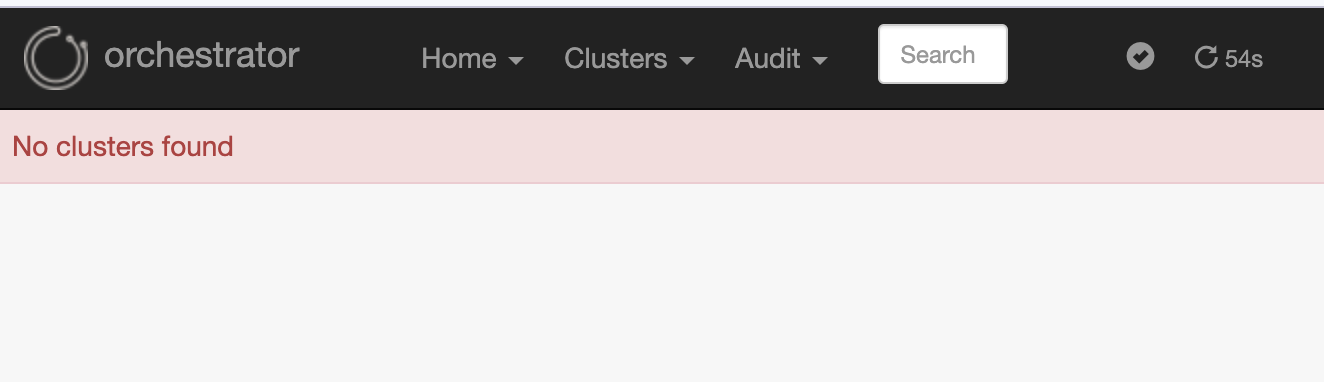
Once this screen appears, you will then register the cluster you want to manage.
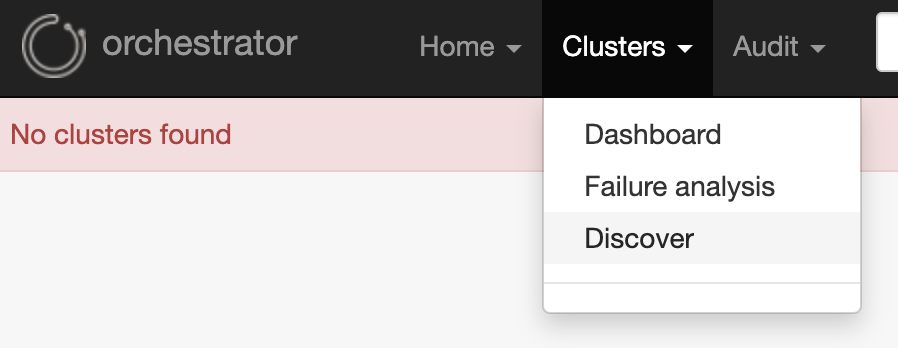
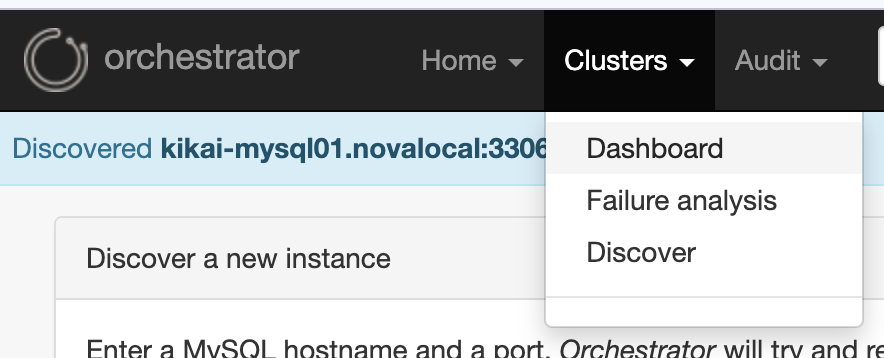
Select "Clusters" → "Discover".
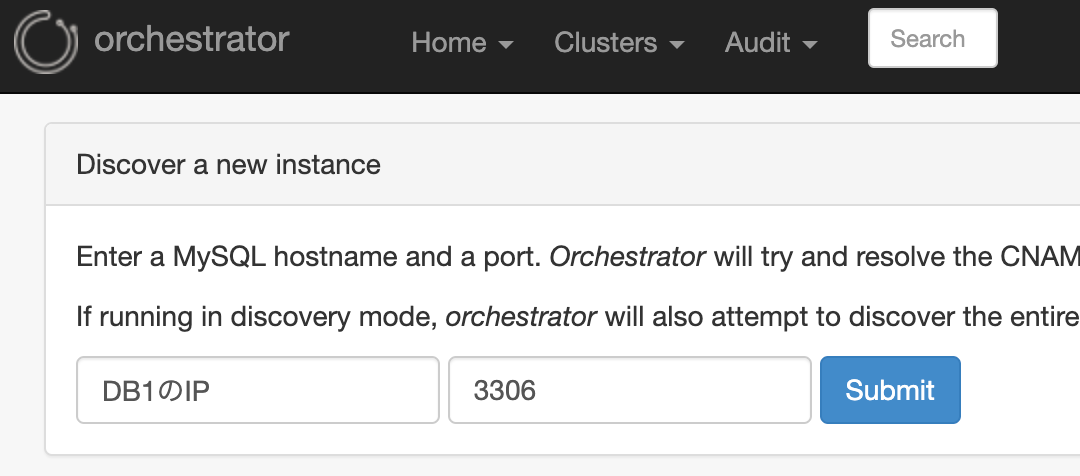
Enter the IP address of the source DB (DB1) and the MySQL port number, then press "Submit".
Once you've registered, go to "Clusters" → "Dashboard" to return to the dashboard.
Then, DB1, which I had just registered, and its associated replicas DB2 and DB3 were displayed.
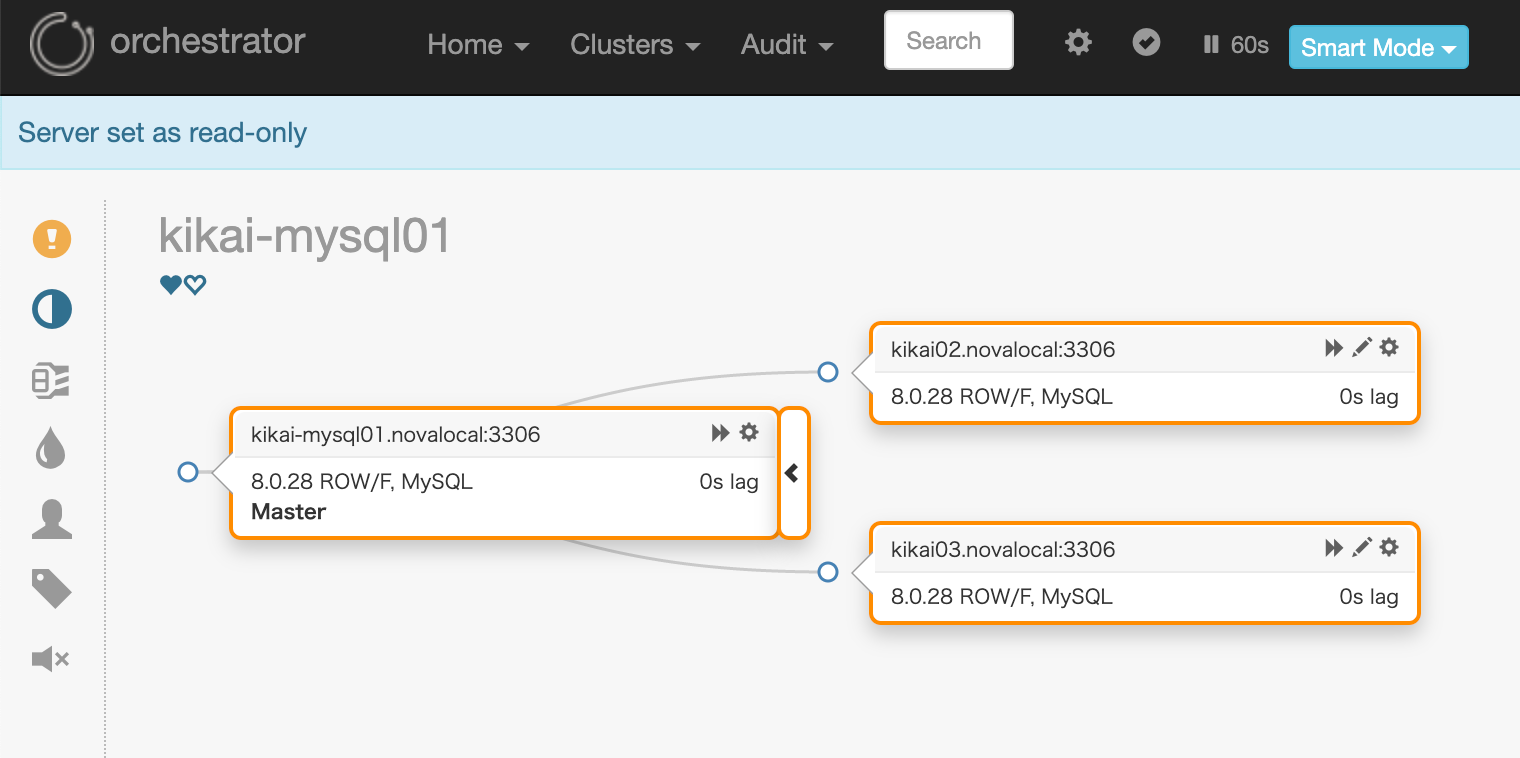
Orchestrator setup is now complete.
Next, let's verify whether the failover will actually be successful.
In conclusion
When using MySQL, it is essential to consider a configuration that ensures redundancy.
This Orchestrator requires MySQL as a backend and has many complex features, so the initial setup might be a bit challenging. However, for simple use, I think it's not much more troublesome than MHA, so I'd like to actively use it.
In addition to MHA and Orchestrator, which I introduced this time, there is also a mechanism called InnoDB Cluster that is officially available from MySQL, so I hope to introduce it someday.
SRG is looking for new team members.
If you are interested, please contact us here.